Advanced Features
The AI Localization Automator includes several advanced features designed to streamline your localization workflow and provide maximum flexibility for complex projects.
Translation Table and Session Management
Translation Status Tracking
The main translation table provides comprehensive status information for every text entry:
- Pending: Text awaiting translation
- In Progress: Currently being translated
- Completed: Successfully translated (shown in green)
- Failed: Translation failed after all retry attempts (shown in red)
- Cancelled: Translation was interrupted
Context Menu Actions
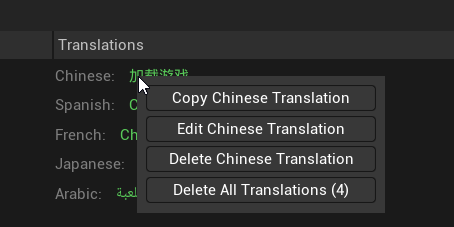
Right-click on any text entry to access quick actions:
For Source Text:
- Copy Source Text: Copy the original text to clipboard
- Delete All Translations: Remove every session translation for this source text in a single action
For Translation Entries:
- Copy Translation: Copy the translated text to clipboard
- Edit Translation: Manually edit the translated text in a popup editor
- Delete Translation: Remove a single session translation (only available for text translated in current session)
- Delete All Translations: Remove every session translation for this source text across all target languages
Editing Translations Manually
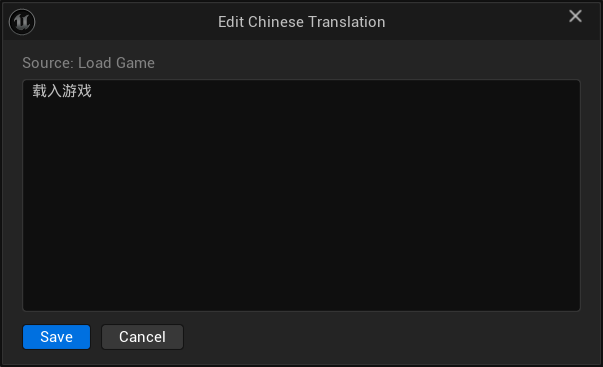
The Edit Translation option opens a small editor pre-filled with the current translation, useful for quick manual corrections without re-running the full translation. The source text is shown at the top for reference.
A few things to keep in mind:
- Clearing the text and saving resets the entry to Pending, making it eligible for re-translation.
- Edited translations count as session translations, so Delete becomes available for them too.
- The editor is disabled while a translation session is running.
- Changes still need to be committed via Save Translations.
Preset System
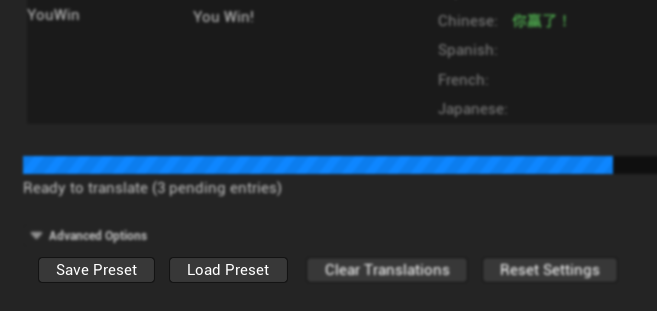
Save and load complete configuration presets to quickly switch between different project setups or share configurations across your team.
Managing Presets
The preset system allows you to save and restore your complete configuration with a single click:
Saving Presets captures all your current settings:
- Selected translation provider
- Provider-specific configuration (API keys, models, parameters)
- Translation settings (concurrency, retries, timeouts)
- Custom prompt template
Loading Presets instantly applies all saved settings, making it easy to:
- Switch between different AI providers
- Apply team-standard configurations
- Set up new projects quickly
- Test different parameter combinations
Preset File Format
Presets are saved as JSON files in your project's Saved/TranslationPresets/ directory:
- Human-readable format for version control
- Includes metadata like creation date and UE version
- Can be shared between team members
- Safely excludes sensitive data when appropriate
Batch Processing Controls
Concurrency Management
Control how many translations run simultaneously:
- Low Concurrency (1-5): Conservative approach, reduces API load
- Medium Concurrency (6-15): Balanced performance and reliability for cloud providers
- High Concurrency (16-50): Maximum speed for cloud providers, requires stable connection
Provider-Specific Recommendations:
- Ollama (Local): Use Low Concurrency (around 4) to avoid overwhelming local resources
- Cloud Providers (OpenAI, Anthropic, etc.): Medium to High Concurrency based on your network stability and API rate limits
Retry Logic
Sophisticated retry system handles temporary failures:
Per-Translation Retries: Each text entry can be retried up to the configured limit before being marked as failed.
Global Failure Protection: If too many consecutive failures occur across all translations, the entire process stops to prevent wasting API calls on a systemic issue.
Pause and Resume
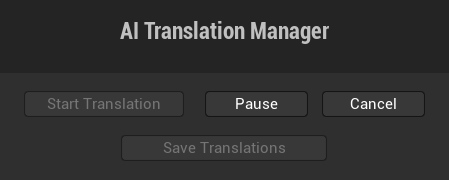
- Pause Translation: Temporarily halt processing without losing progress
- Resume Translation: Continue from where you left off
- Cancel Translation: Stop completely and mark in-progress items as cancelled
Target Language Filter
By default, all target languages are translated when you start a session. The Target Language Filter lets you restrict translation to a specific subset of languages - useful when you want to test a new provider on one language before running the full batch, when only certain languages need updating, or when you want to use different AI providers for different languages (for example, a provider with stronger Japanese support for Asian languages, and a different one for European languages).
The filter is located in Advanced Options → Target Language Filter. Check or uncheck individual languages, or use the Select All / Select None shortcuts.
Custom Prompt Templates
Template Variables
The prompt template supports several context-aware variables:
{SourceLanguage_EnglishName}: Source language in English (e.g., "German"){SourceLanguage_NativeLanguage}: Source language in native script (e.g., "Deutsch"){TargetLanguage_EnglishName}: Target language in English (e.g., "Spanish"){TargetLanguage_NativeLanguage}: Target language in native script (e.g., "español"){SourceText}: The actual text to translate{ProviderName}: Current AI provider name

Template Best Practices
Effective prompts should:
- Clearly state the translation task
- Emphasize preserving format specifiers (
%s,{0}, etc.) - Instruct the AI to output only the translation
- Provide context about the content type (game UI, dialogue, etc.)
- Specify any style requirements (formal, casual, technical)
Example for game UI:
Translate this game user interface text from {SourceLanguage_EnglishName} to {TargetLanguage_EnglishName}.

IMPORTANT:
- Output ONLY the translated text
- Preserve all format specifiers like %s, %d, {0}, {1}
- Keep UI text concise and clear
- Use appropriate formality for game interface

Text to translate: {SourceText}
Data Management
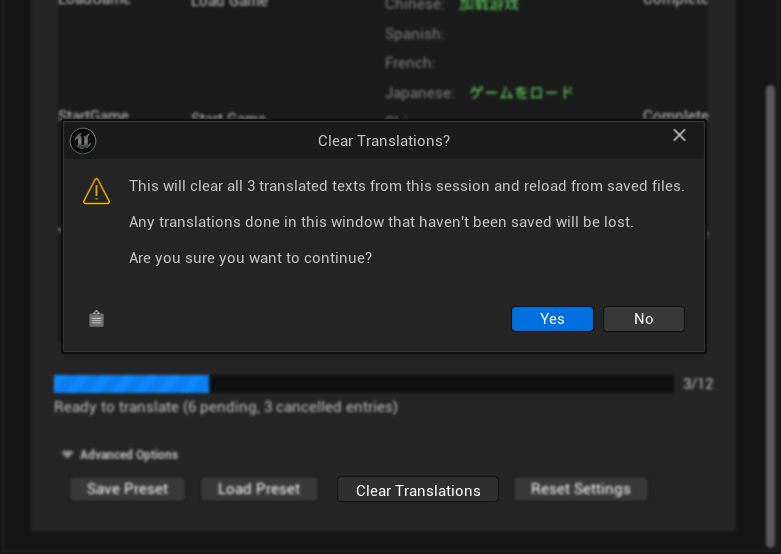
Clear Translations
The "Clear Translations" function removes all session translations and reloads from saved archive files:
- Only affects translations made in the current session
- Preserves previously saved translations
- Useful for testing different providers or settings
- Cannot be undone once confirmed
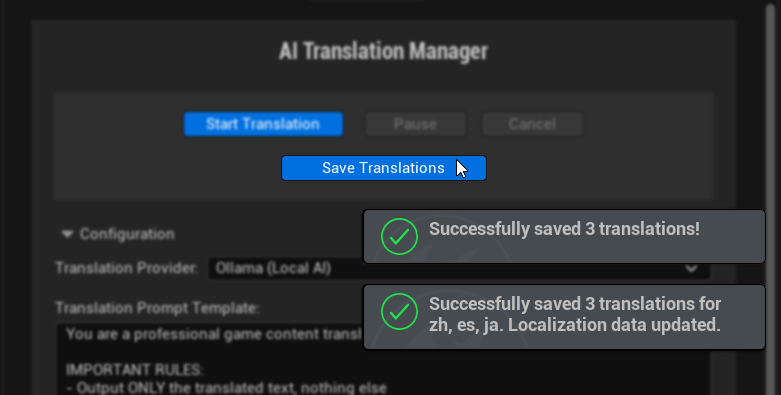
Save Translations
Commits completed translations to UE's localization archive files:
- Updates
.archivefiles for each target culture - Integrates with UE's localization system
- Preserves existing translations not modified in this session
- Updates localization target statistics
Progress Monitoring
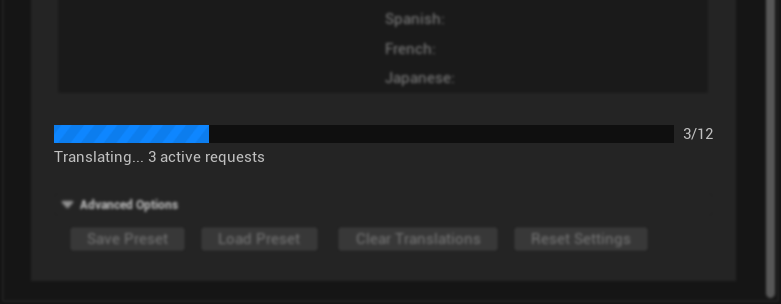
Real-time Progress Updates
The progress system provides detailed feedback:
- Progress Bar: Visual indication of completion percentage
- Numerical Progress: "X/Y completed" counter
- Status Messages: Current operation and provider information
- Active Request Count: How many translations are currently processing
Persistent Progress Tracking
During long translation sessions:
- Progress persists if you pause and resume
- Session translations are tracked separately from saved translations
- Translation status is maintained until explicitly cleared
- You can safely close and reopen the AI Translation Manager
Integration with Localization Dashboard
Seamless Workflow
The plugin integrates directly with UE's localization system:
- Automatically discovers gathered text entries
- Reads existing translations from archive files
- Saves results in UE's standard format
- Updates localization target statistics
- Maintains compatibility with other localization tools
Multi-Target Support
While the UI focuses on one target at a time:
- Each localization target maintains its own translation state
- Provider settings are shared across targets
- You can work with multiple targets in sequence
- Session tracking is per-target
Performance Optimization
Memory Management
The plugin is designed for efficient memory usage:
- Streams translation data rather than loading everything at once
- Automatically cleans up completed requests
- Manages UI updates efficiently for large translation tables
- Handles thousands of entries without performance degradation
Network Optimization
For cloud providers:
- Configurable request timeouts prevent hanging
- Automatic retry with exponential backoff
- Connection pooling for better throughput
- Request batching where supported by providers
Error Recovery
Robust error handling ensures reliable operation:
- Automatic retry for transient network issues
- Graceful degradation when providers are unavailable
- Detailed error logging for troubleshooting
- Safe handling of malformed API responses