Acoustic Echo Cancellation
Streaming Sound Wave, along with its derived types such as Capturable Sound Wave, supports Acoustic Echo Cancellation (AEC). AEC removes echo from captured microphone audio caused by the playback of a render signal (e.g., audio playing through speakers). The result is cleaner voice capture in real-time communication scenarios.
The plugin provides AEC through the WebRTC AEC3 implementation, available as a lightweight extension plugin that ships only the relevant AEC3 code. WebRTC AEC3 is a high-quality acoustic echo canceller in wide use across real-time communication applications. It models the acoustic path between speakers and microphone to subtract echo from the captured signal.
Installation
To use Acoustic Echo Cancellation, you need to install the WebRTC AEC3 extension plugin:
- Ensure the Runtime Audio Importer plugin is already installed in your project
- Download the WebRTC AEC3 extension plugin from here
- Extract the folder from the downloaded archive into the
Pluginsfolder of your project (create this folder if it doesn't exist) - Rebuild your project (this extension requires a C++ project)
- WebRTC AEC3 supports all engine versions supported by Runtime Audio Importer (UE 4.24, 4.25, 4.26, 4.27, 5.0, 5.1, 5.2, 5.3, 5.4, 5.5, 5.6, 5.7, and 5.8)
- This extension is provided as source code and requires a C++ project to use
- WebRTC AEC3 is available for Windows, Linux, Mac, Android (including Meta Quest), and iOS
- For more information on how to build plugins manually, see the Building Plugins tutorial
Basic Usage
The typical AEC workflow involves three steps:
- Enable AEC on your streaming/capturable sound wave
- Configure render chunk size on the render sound wave for 10 ms frame delivery
- Bind the render sound wave whose audio will be used to cancel echo from the capture signal
Enabling AEC
To enable AEC after creating a streaming sound wave, use the ToggleAEC function. You must specify the sample rate and number of channels for the AEC processor. If the incoming capture or render audio does not match these values, it will be resampled automatically, however, the configured sample rate still affects quality (e.g., 48000 Hz will yield better echo cancellation than 16000 Hz) and performance, so it is worth choosing these values deliberately rather than leaving it to resampling.
- Blueprint
- C++
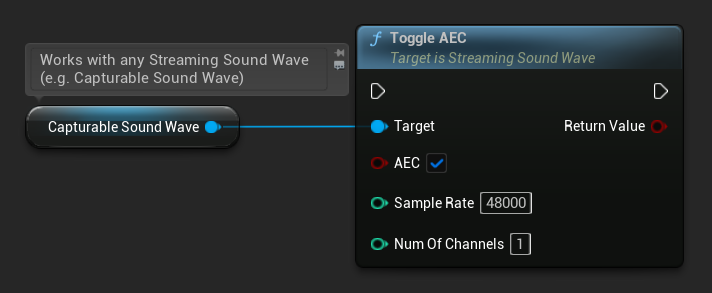
// Assuming StreamingSoundWave is a UE reference to a UStreamingSoundWave object (or its derived type, such as UCapturableSoundWave)
StreamingSoundWave->ToggleAEC(true, 48000, 1);
You can check whether AEC is currently enabled:
- Blueprint
- C++
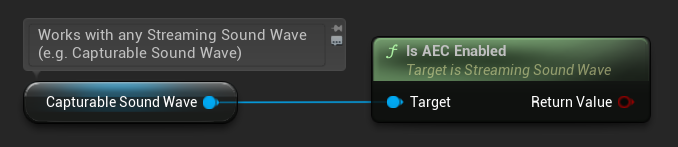
// Assuming StreamingSoundWave is a UE reference to a UStreamingSoundWave object (or its derived type, such as UCapturableSoundWave)
bool bEnabled = StreamingSoundWave->IsAECEnabled();
Configuring Render Chunk Size
WebRTC AEC3 requires audio to be processed in 10 ms chunks. To ensure the render sound wave delivers audio data in the correct frame size, use the SetNumSamplesPerChunk function on the render Imported Sound Wave (the sound wave being played through speakers).
The formula to calculate the correct number of samples per chunk is:
For example, for 48000 Hz audio: 48000 / 100 = 480 samples per chunk.
- Blueprint
- C++
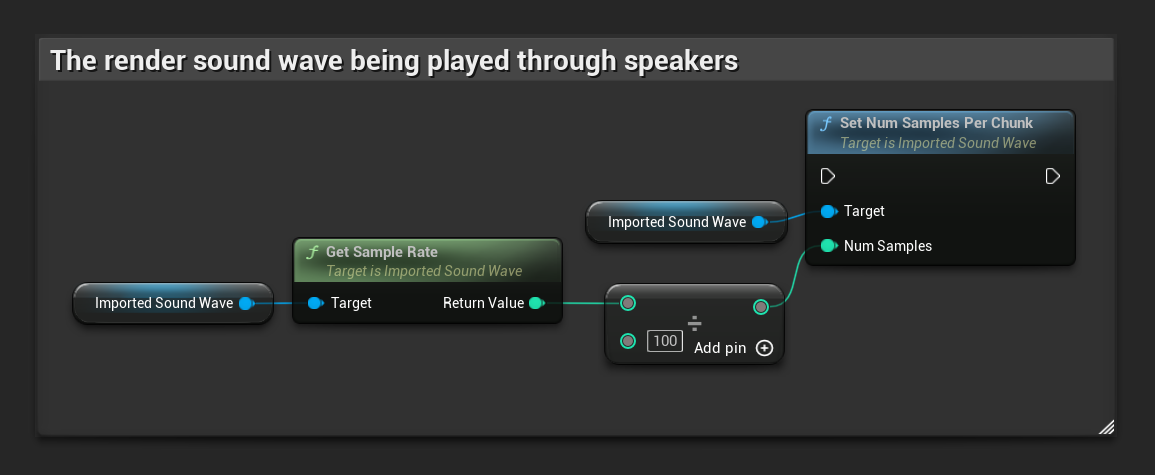
// Assuming ImportedSoundWave is a UE reference to a UImportedSoundWave object (the render sound wave being played through speakers)
ImportedSoundWave->SetNumSamplesPerChunk(ImportedSoundWave->GetSampleRate() / 100);
Binding the Render Sound Wave
After enabling AEC and configuring the chunk size, bind the render sound wave whose audio will be used to identify and remove echo from the capture signal. This is typically the sound wave being played through speakers that the microphone might pick up:
- Blueprint
- C++
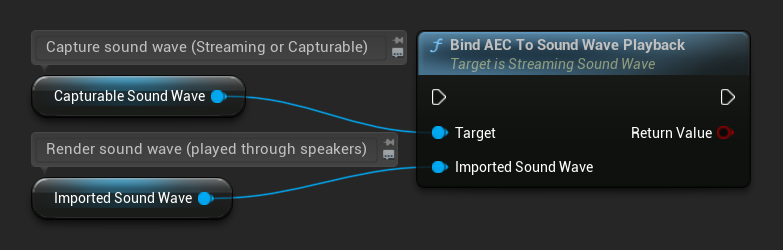
// Assuming StreamingSoundWave is the capture sound wave (microphone input) with AEC enabled
// (can also be a UCapturableSoundWave, which is the most common use case)
// Assuming ImportedSoundWave is the render sound wave being played through speakers
StreamingSoundWave->BindAECToSoundWavePlayback(ImportedSoundWave);
To unbind the render sound wave:
- Blueprint
- C++
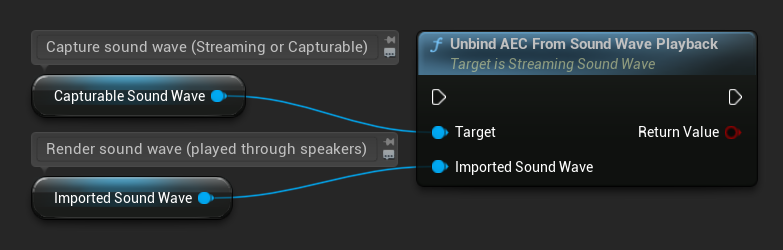
// Assuming StreamingSoundWave is the capture sound wave (microphone input) with AEC enabled
// (can also be a UCapturableSoundWave, which is the most common use case)
// Assuming ImportedSoundWave is the render sound wave being played through speakers
StreamingSoundWave->UnbindAECFromSoundWavePlayback(ImportedSoundWave);
Additional Configuration
Stream Delay
You can set the estimated stream delay (in milliseconds) between the render and capture audio paths. This accounts for hardware and system latency, though WebRTC AEC3 can estimate this automatically in many cases:
- Blueprint
- C++
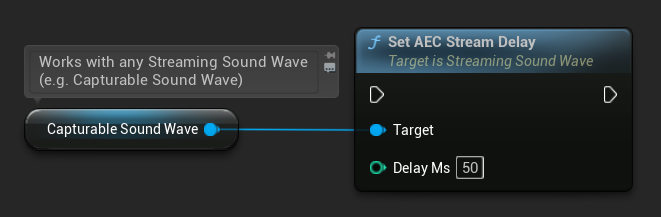
// Assuming StreamingSoundWave is a UE reference to a UStreamingSoundWave object (or its derived type, such as UCapturableSoundWave)
StreamingSoundWave->SetAECStreamDelay(50);
Resetting AEC
You can reset the internal AEC processor state at any time, clearing any accumulated echo model:
- Blueprint
- C++
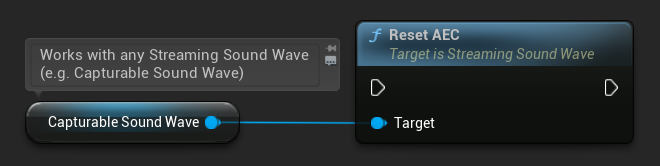
StreamingSoundWave->ResetAEC();
WebRTC AEC3 supports sample rates of 8000, 16000, 32000, and 48000 Hz. Mismatched audio is resampled automatically, but this comes with a performance overhead. For best quality and performance, use 48000 Hz and match the actual audio configuration of both the capture and render streams.