How to use the plugin
This guide covers the full runtime API: creating an LLM instance, loading models, sending messages, downloading models at runtime, managing state, and utility functions.
Create an LLM Instance
Start by creating a Runtime Local LLM object. Maintain a reference to it (e.g. as a variable in Blueprints or a UPROPERTY in C++) to prevent premature garbage collection.
- Blueprint
- C++
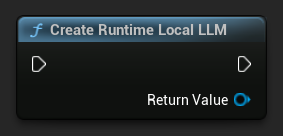
UPROPERTY()
URuntimeLocalLLM* LLM;

LLM = URuntimeLocalLLM::CreateRuntimeLocalLLM();
Load a Model
You must load a model before sending messages. The plugin provides several loading methods depending on your workflow.
Load by Name
If you manage models through the editor settings panel, use Load Model (By Name).
- Blueprint
- C++
- UE 5.3 and earlier
- UE 5.4+
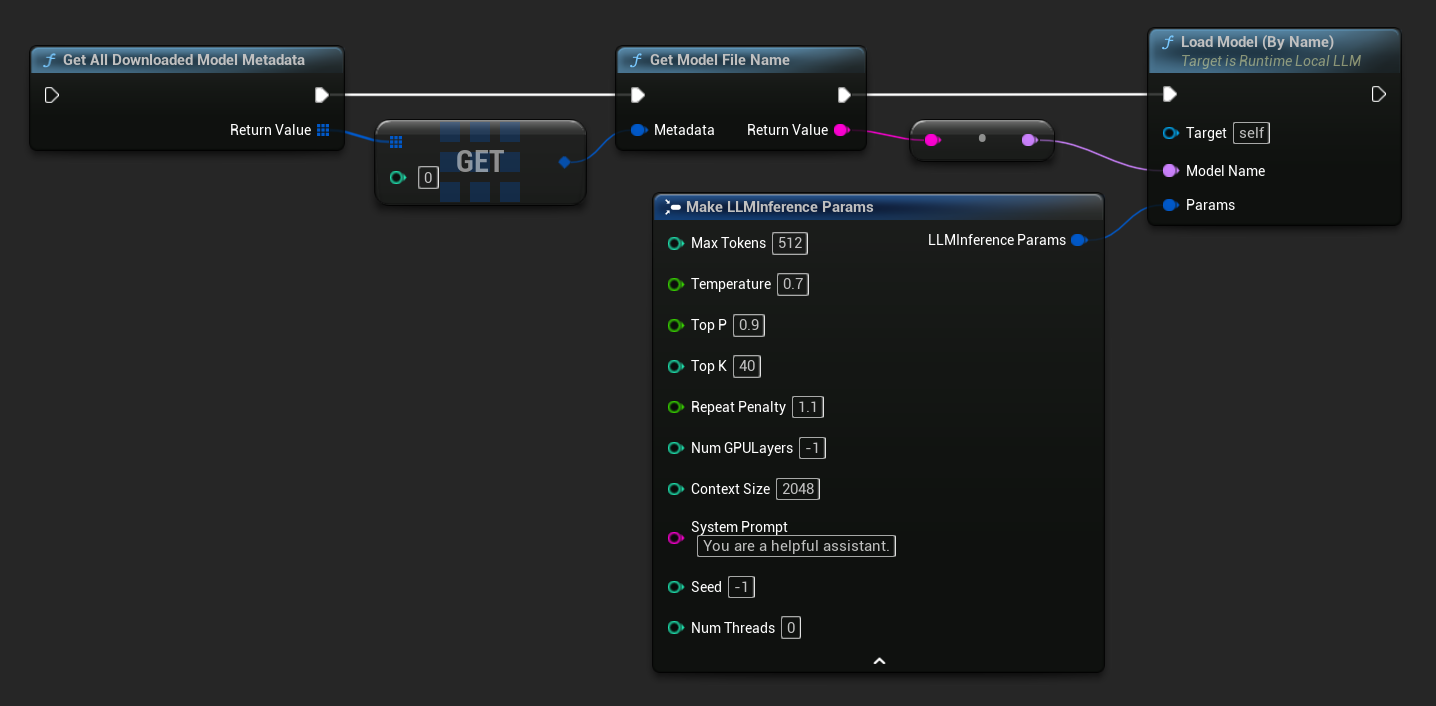
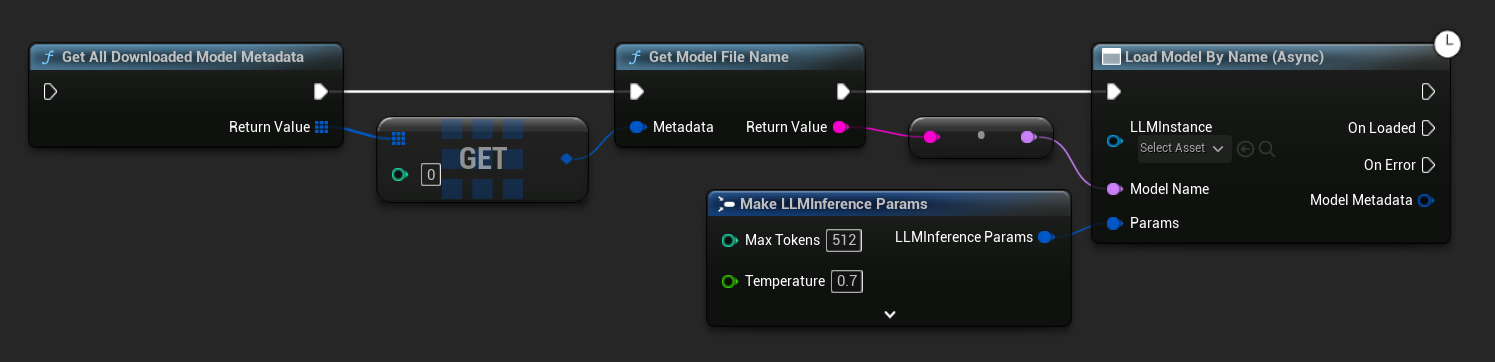
In UE 5.3 and earlier the dropdown does not appear, so you need to retrieve the available models manually. Use Get All Downloaded Model Metadata, get the element at index 0 (or whichever model you need), pass it to Get Model File Name to retrieve the name string, then pass that to Load Model (By Name).
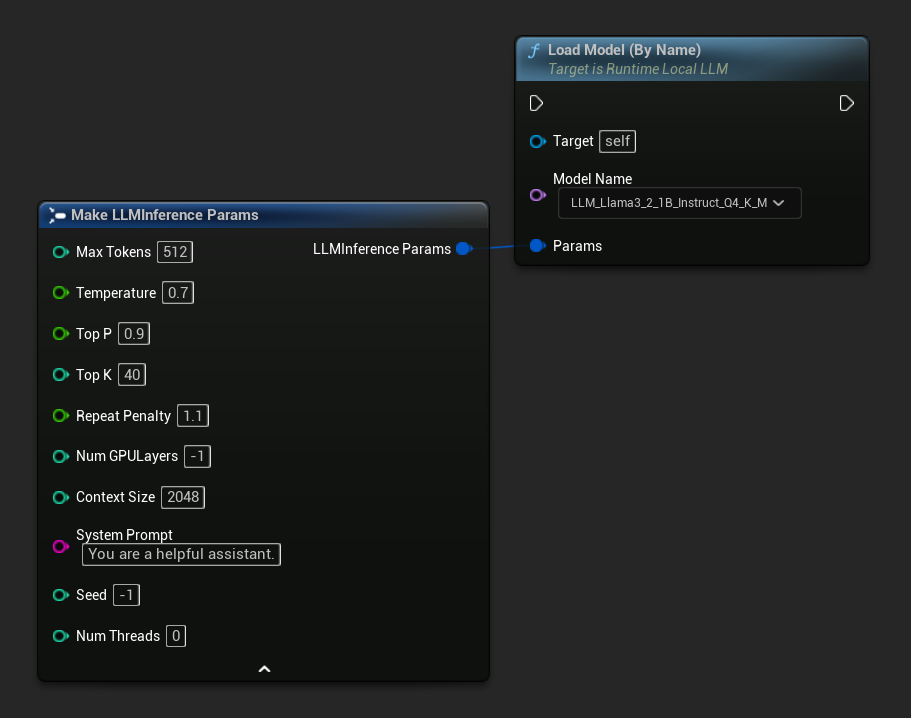
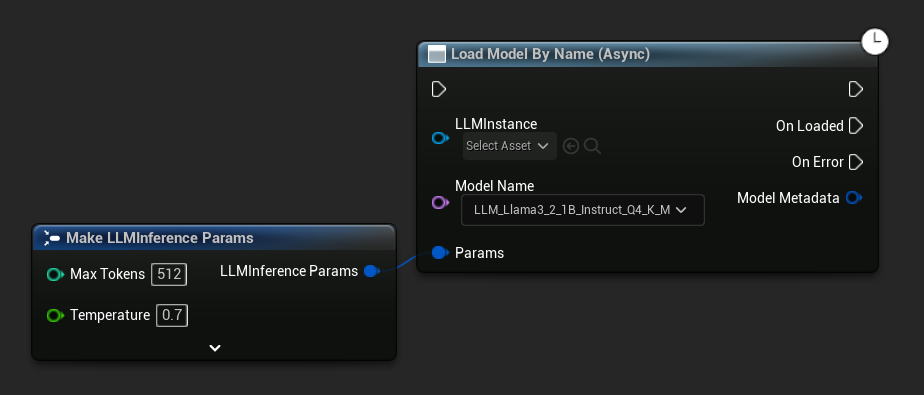
In UE 5.4 and later, Load Model (By Name) presents a dropdown of all models on disk - simply select the model you want to load.
In C++, use GetAllDownloadedModelMetadata to retrieve available models and GetModelFileName to get the name to pass to LoadModelByName:
FLLMInferenceParams Params;
Params.MaxTokens = 512;
Params.Temperature = 0.7f;
Params.SystemPrompt = TEXT("You are a helpful assistant.");

TArray<FLLMModelMetadata> DownloadedModels = URuntimeLLMLibrary::GetAllDownloadedModelMetadata();

if (DownloadedModels.Num() > 0)
{
    const FLLMModelMetadata& Model = DownloadedModels[0]; // Select the first available model
    FString ModelFileName = URuntimeLLMLibrary::GetModelFileName(Model);
    LLM->LoadModelByName(FName(*ModelFileName), Params);
}
Load from File Path
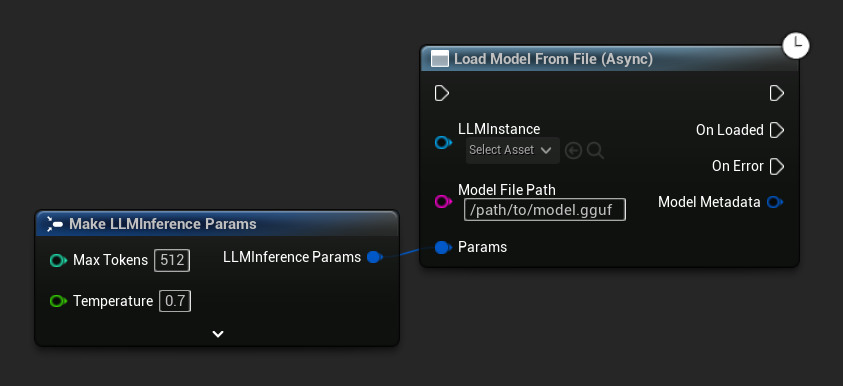
Load a model directly from an absolute file path to a .gguf file:
- Blueprint
- C++
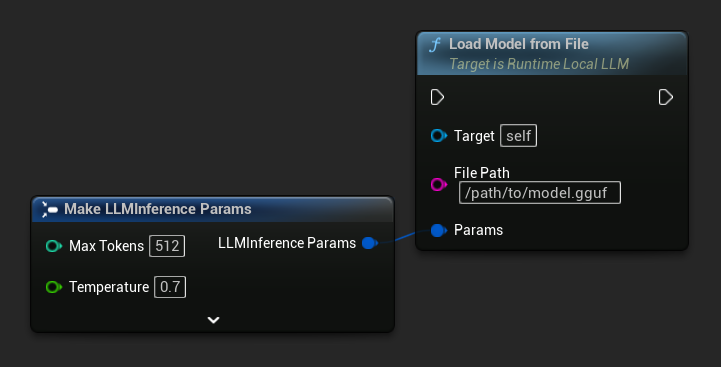
FLLMInferenceParams Params;
LLM->LoadModelFromFile(TEXT("/path/to/model.gguf"), Params);
Load from URL (Download and Load)
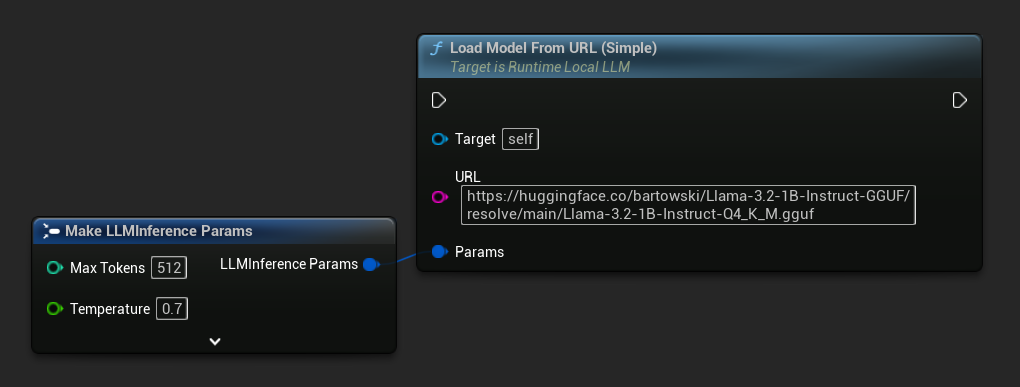
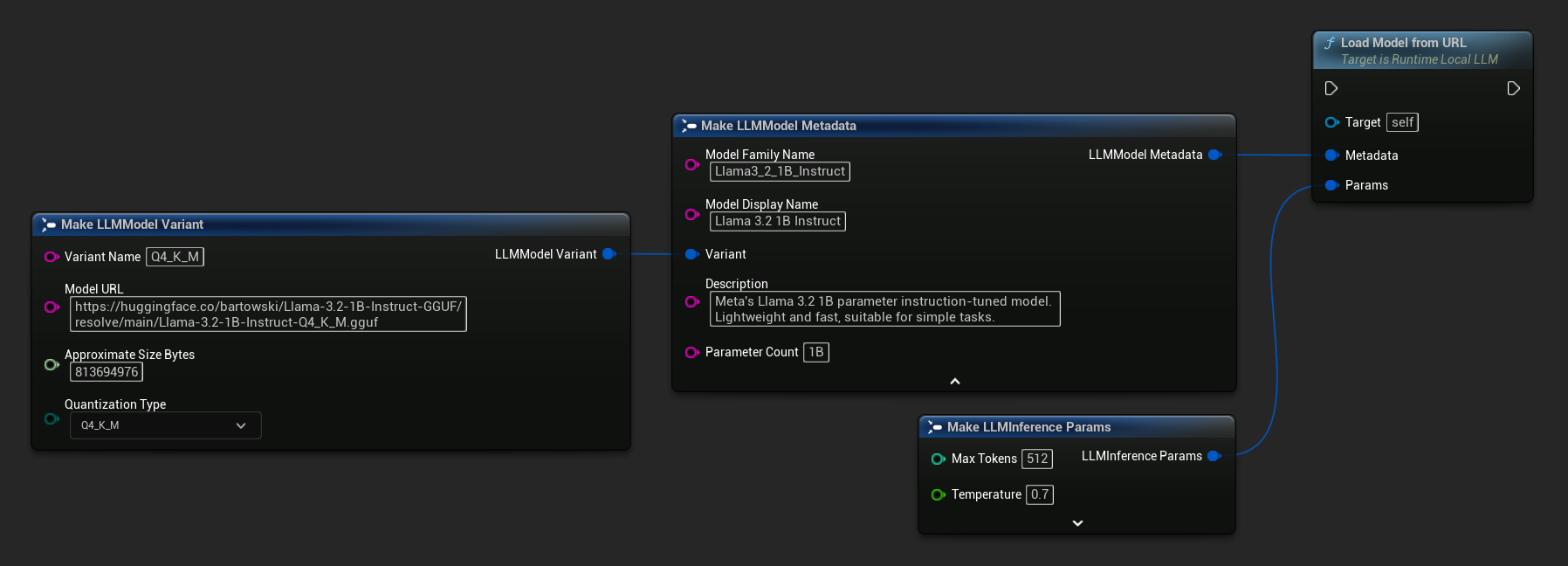
Download a model from a URL (if not already on disk) and load it automatically. If the file already exists locally, the download is skipped.
- Blueprint
- C++
The simplest variant takes only a URL - metadata is derived from the filename:
You can also use Load Model From URL with full model metadata for richer model information:
FLLMInferenceParams Params;

// Simple: URL only - metadata is derived from the filename
LLM->LoadModelFromURLSimple(
    TEXT("https://huggingface.co/bartowski/Llama-3.2-1B-Instruct-GGUF/resolve/main/Llama-3.2-1B-Instruct-Q4_K_M.gguf"), Params);

// With full metadata
FLLMModelMetadata Metadata;
Metadata.ModelFamilyName = TEXT("Llama3_2_1B_Instruct");
Metadata.ModelDisplayName = TEXT("Llama 3.2 1B Instruct");
Metadata.Description = TEXT("Meta's Llama 3.2 1B parameter instruction-tuned model. Lightweight and fast, suitable for simple tasks.");
Metadata.ParameterCount = TEXT("1B");
Metadata.Variant.VariantName = TEXT("Q4_K_M");
Metadata.Variant.ModelURL = TEXT("https://huggingface.co/bartowski/Llama-3.2-1B-Instruct-GGUF/resolve/main/Llama-3.2-1B-Instruct-Q4_K_M.gguf");
Metadata.Variant.ApproximateSizeBytes = 776LL * 1024 * 1024;
Metadata.Variant.QuantizationType = ELLMQuantizationType::Q4_K_M;
LLM->LoadModelFromURL(Metadata, Params);
Async Load (Blueprint)
To handle load completion and errors via output pins instead of binding delegates manually, two async nodes are available.
Load Model By Name (Async) mirrors Load Model (By Name) - in UE 5.4+ it presents a dropdown of all models on disk:
- UE 5.4+
- UE 5.3 and earlier
In UE 5.3 and earlier the dropdown does not appear. Use Get All Downloaded Model Metadata, get the element at index 0 (or whichever model you need), pass it to Get Model File Name, then pass that to Load Model By Name (Async).
Load Model From File (Async) takes an absolute file path instead:
Bind Events
Bind to the LLM instance's delegates to receive callbacks. All callbacks fire on the game thread.
- Blueprint
- C++
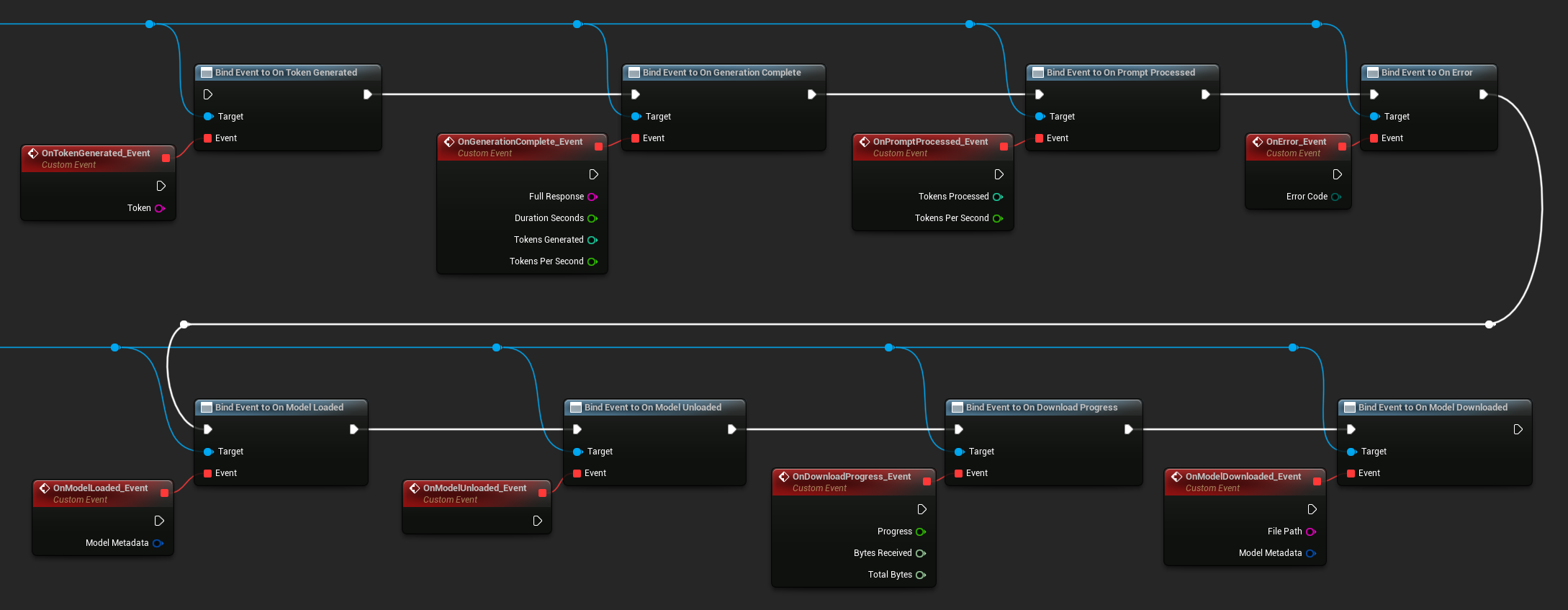
Available delegates:
- On Token Generated: Fires for each output token
- On Generation Complete: Fires when the full response is ready, with duration, token count, and tokens-per-second
- On Prompt Processed: Fires after the input prompt is processed, before generation begins
- On Error: Fires if an error occurs during any operation
- On Model Loaded: Fires when a model finishes loading
- On Model Unloaded: Fires when the model is unloaded
- On Download Progress: Fires periodically during a model download (progress fraction, bytes received, total bytes)
- On Model Downloaded: Fires when a download-only operation completes
- On Conversation Saved: Fires when a conversation has been written to a JSON file
- On Conversation Loaded: Fires when a conversation has been loaded from a file or memory snapshot
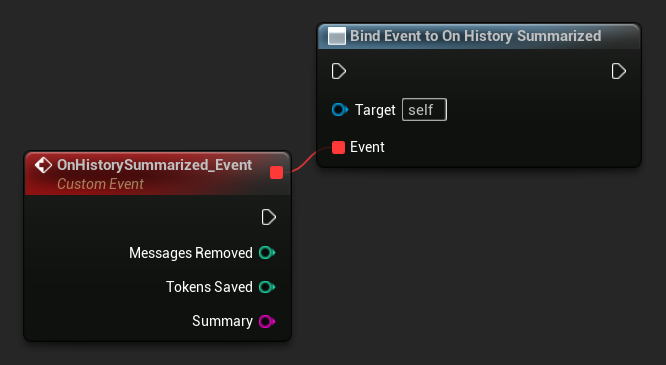
- On History Summarized: Fires when auto-summarization compresses older messages (reports message count, tokens saved, and the summary)
LLM->OnTokenGeneratedNative.AddLambda([](const FString& Token)
{
});

LLM->OnGenerationCompleteNative.AddLambda(
[](const FString& FullResponse, float DurationSeconds, int32 TokensGenerated, float TokensPerSecond)
{
});

LLM->OnPromptProcessedNative.AddLambda([](int32 TokensProcessed, float TokensPerSecond)
{
});

LLM->OnErrorNative.AddLambda([](ELLMErrorCode ErrorCode)
{
});

LLM->OnModelLoadedNative.AddLambda([](const FLLMModelMetadata& ModelMetadata)
{
});

LLM->OnModelUnloadedNative.AddLambda([]()
{
});

LLM->OnDownloadProgressNative.AddLambda([](float Progress, int64 BytesReceived, int64 TotalBytes)
{
});

LLM->OnModelDownloadedNative.AddLambda([](const FString& FilePath, const FLLMModelMetadata& ModelMetadata)
{
});

LLM->OnConversationSavedNative.AddLambda([](const FString& FilePath)
{
});

LLM->OnConversationLoadedNative.AddLambda([](const FLLMConversationSnapshot& Snapshot)
{
});

LLM->OnHistorySummarizedNative.AddLambda([](int32 MessagesRemoved, int32 TokensSaved, const FString& Summary)
{
});
Send Messages
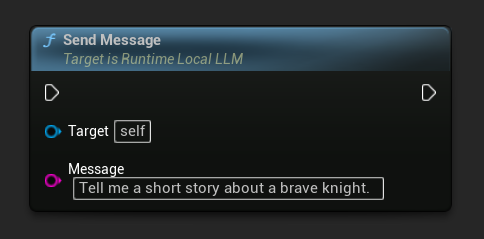
Once a model is loaded, send a user message to generate a response:
- Blueprint
- C++
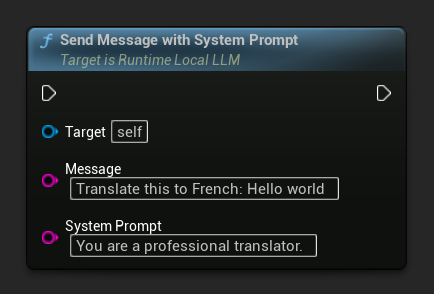
To override the system prompt for a specific message, use Send Message With System Prompt:
LLM->SendMessage(TEXT("Tell me a short story about a brave knight."));

// With a custom system prompt override
LLM->SendMessageWithSystemPrompt(
    TEXT("Translate this to French: Hello world"),
    TEXT("You are a professional translator.")
);
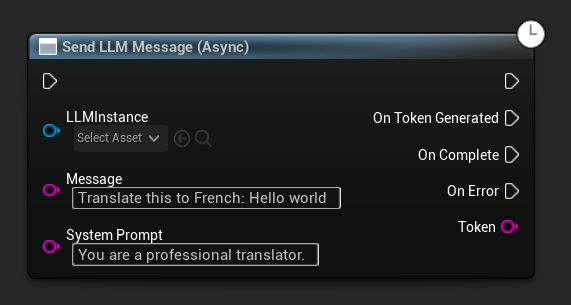
Tokens stream through OnTokenGenerated as they are produced. When generation finishes, OnGenerationComplete fires with the full response, duration, token count, and tokens-per-second.
Async Send Message (Blueprint)
The Send LLM Message (Async) node provides dedicated output pins for tokens, completion, and errors:
Download Models at Runtime
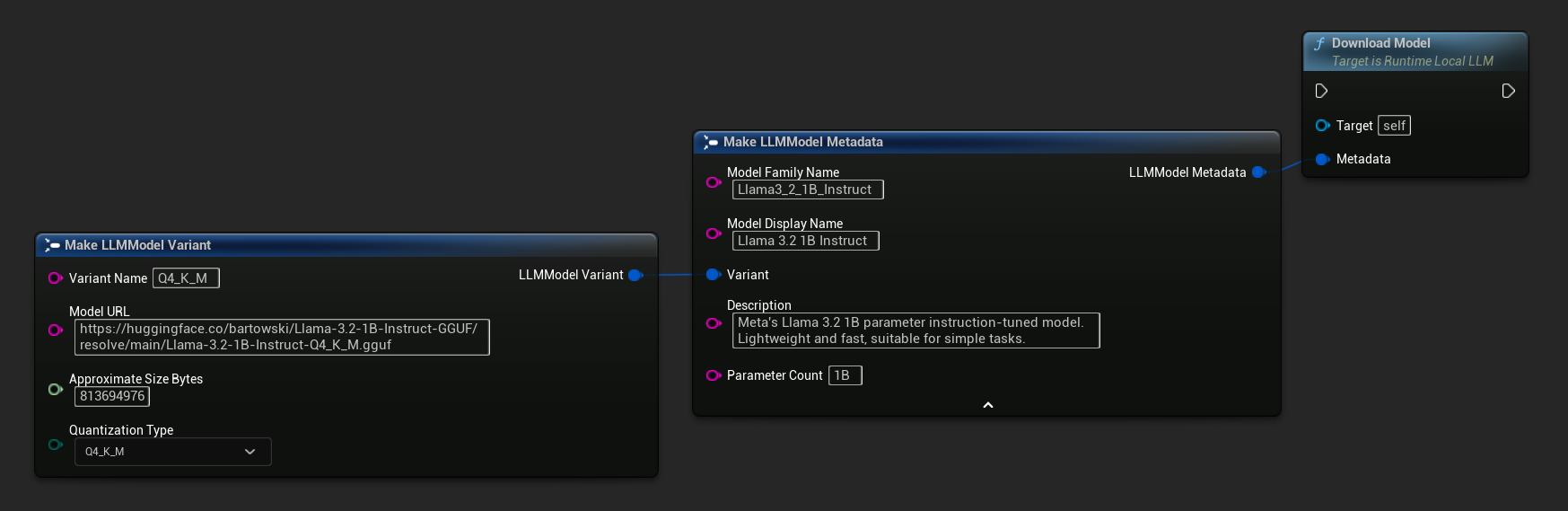
Besides the download-and-load flow described above, you can download a model to disk without loading it. This is useful for pre-caching models in a loading screen or settings menu.
- Blueprint
- C++
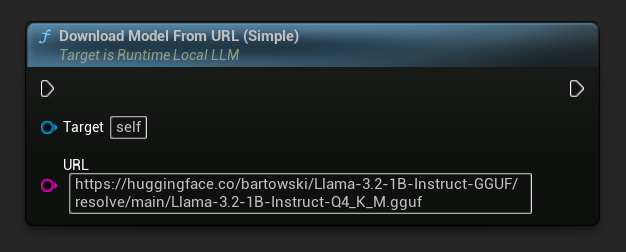
A URL-only variant is also available:
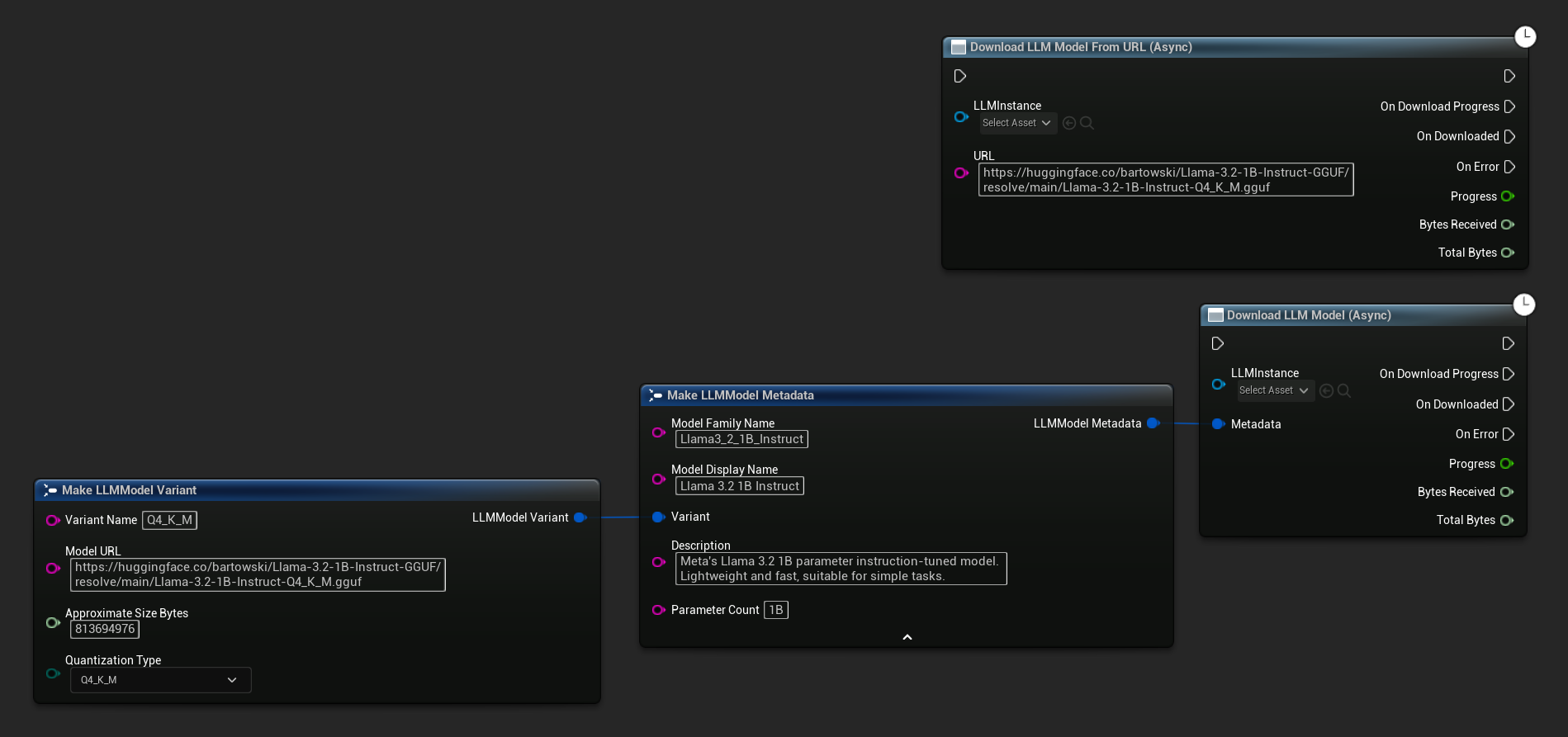
The Download LLM Model (Async) and Download LLM Model From URL (Async) node provides output pins for progress, completion, and errors:
// With full metadata
FLLMModelMetadata Metadata;
Metadata.ModelFamilyName = TEXT("Llama3_2_1B_Instruct");
Metadata.ModelDisplayName = TEXT("Llama 3.2 1B Instruct");
Metadata.Description = TEXT("Meta's Llama 3.2 1B parameter instruction-tuned model. Lightweight and fast, suitable for simple tasks.");
Metadata.ParameterCount = TEXT("1B");
Metadata.Variant.VariantName = TEXT("Q4_K_M");
Metadata.Variant.ModelURL = TEXT("https://huggingface.co/bartowski/Llama-3.2-1B-Instruct-GGUF/resolve/main/Llama-3.2-1B-Instruct-Q4_K_M.gguf");
Metadata.Variant.ApproximateSizeBytes = 776LL * 1024 * 1024;
Metadata.Variant.QuantizationType = ELLMQuantizationType::Q4_K_M;
LLM->DownloadModel(Metadata);

// URL only
LLM->DownloadModelFromURL(
    TEXT("https://huggingface.co/bartowski/Llama-3.2-1B-Instruct-GGUF/resolve/main/Llama-3.2-1B-Instruct-Q4_K_M.gguf"));
The OnDownloadProgress delegate reports progress during the download. OnModelDownloaded fires when the file is saved to disk.
To cancel an in-progress download:
- Blueprint
- C++
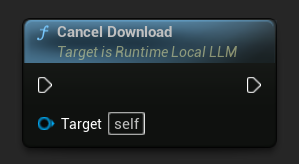
LLM->CancelDownload();
The plugin prevents duplicate downloads automatically - if a download is already in progress for the same model, subsequent calls are ignored.
Stop Generation
To interrupt an ongoing generation:
- Blueprint
- C++
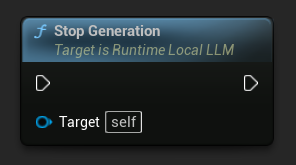
LLM->StopGeneration();
Reset Conversation Context
Clear the conversation history to start a new conversation:
- Blueprint
- C++
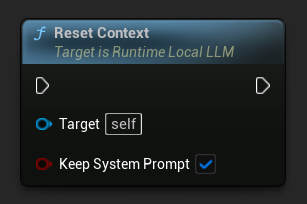
// Keep the system prompt
LLM->ResetContext(true);

// Clear everything including the system prompt
LLM->ResetContext(false);
Save and Load Conversations
The plugin can persist conversation history to disk as JSON or keep it in memory as a snapshot. By default, the system prompt is excluded from saves, so the same conversation history can be loaded into different LLM instances with different system rules. This is useful for multi-NPC scenarios, where each character has its own memory but may share or differ in their system instructions.
Save to File
Save the current conversation to a JSON file on disk:
- Blueprint
- C++
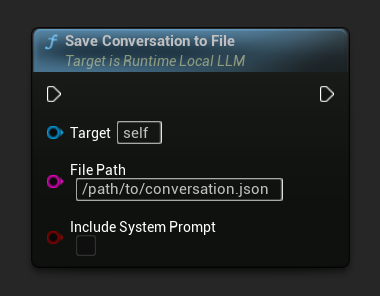
The Include System Prompt parameter controls whether the system message (if present) is written to the file. Default is false for portability between NPCs.
On Conversation Saved fires when the file is written.
// Excludes system prompt by default
LLM->SaveConversationToFile(TEXT("/path/to/conversation.json"));

// Include the system prompt in the file
LLM->SaveConversationToFile(TEXT("/path/to/conversation.json"), /*bIncludeSystemPrompt=*/ true);
Load from File
Load a conversation back from a JSON file:
- Blueprint
- C++
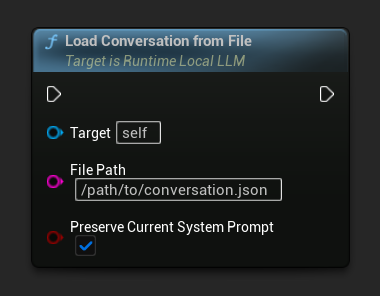
The Preserve Current System Prompt parameter (default true) keeps the currently loaded system prompt intact while swapping in the saved conversation history. This is the recommended setting for NPC memory swapping.
On Conversation Loaded fires with the loaded snapshot.
// Keep current system prompt, swap in the saved history
LLM->LoadConversationFromFile(TEXT("/path/to/conversation.json"));

// Replace the system prompt with whatever's in the file
LLM->LoadConversationFromFile(TEXT("/path/to/conversation.json"), /*bPreserveCurrentSystemPrompt=*/ false);
In-Memory Snapshots (Multi-NPC Workflow)
For fast NPC swapping during gameplay, snapshot the current conversation into memory rather than writing to disk. This pattern is the recommended way to manage many NPCs sharing a single loaded model:
- Blueprint
- C++
The typical multi-NPC pattern uses a Map of Name → LLM Conversation Snapshot on your NPC manager or game state:
- When switching away from an NPC: call
Save Conversation To Memory, then inOn Conversation Loaded(which also fires for snapshot delivery), store the snapshot in your map keyed by NPC name. - When switching to another NPC: read the snapshot from your map and call
Load Conversation From MemorywithPreserve Current System Promptenabled.

Since the system prompt stays loaded across swaps, each NPC's "personality" can either be encoded in a per-NPC system prompt (call Send Message With System Prompt once after a swap to update it) or shared across all NPCs.
// Maintain per-NPC snapshots
UPROPERTY()
TMap<FName, FLLMConversationSnapshot> NPCMemories;

// Save the currently active NPC's memory before switching
LLM->OnConversationLoadedNative.AddLambda([this](const FLLMConversationSnapshot& Snapshot)
{
    NPCMemories.Add(CurrentNPC, Snapshot);
});
LLM->SaveConversationToMemory();

// Activate another NPC's memory
if (const FLLMConversationSnapshot* Found = NPCMemories.Find(NextNPC))
{
    LLM->LoadConversationFromMemory(*Found, /*bPreserveCurrentSystemPrompt=*/ true);
    CurrentNPC = NextNPC;
}
Snapshots are model-agnostic - they store messages, not KV cache state. The same snapshot can be loaded into a different model (though the conversational style may shift). The OriginModelFamilyName field on the snapshot lets you check which model produced it, if you want to enforce compatibility.
Automatic Context Summarization
Long conversations eventually exceed the model's context window, which would normally either truncate the history or cause errors. The plugin's auto-summarization feature monitors context usage and, when a configured threshold is exceeded, summarizes older messages into a single "memory" message before the next response is generated. This keeps token costs and latency stable across indefinitely long conversations.
The summarization is performed by the same loaded model, so no second model or API call is needed.
Enable Auto-Summarization
- Blueprint
- C++
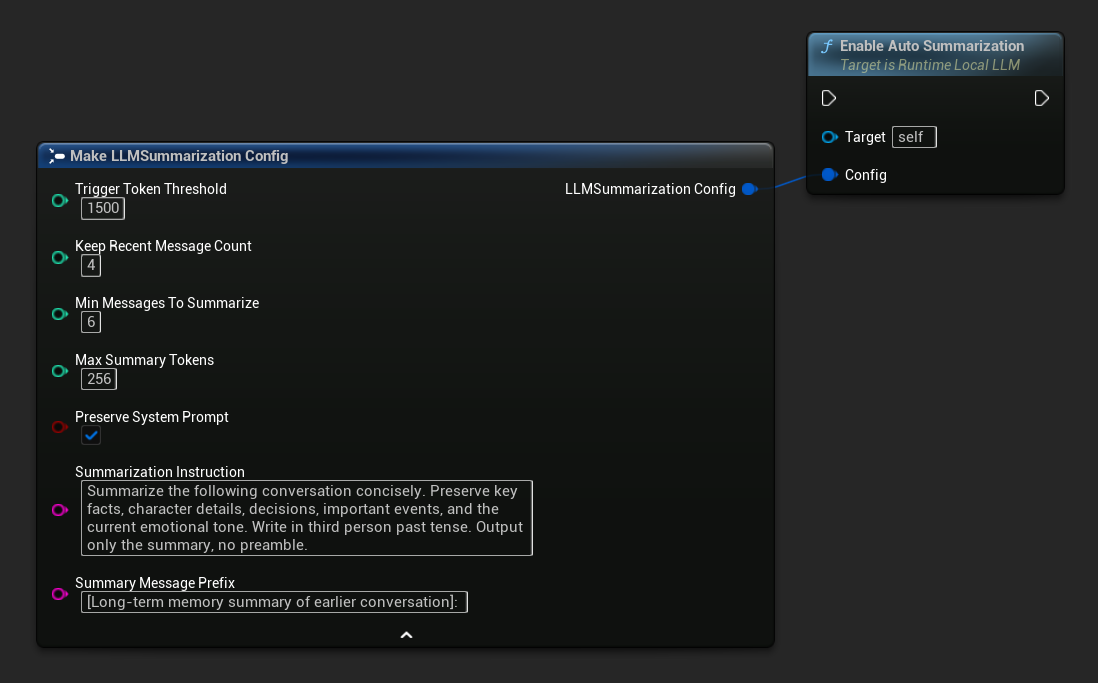
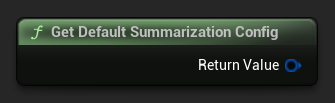
Use Get Default Summarization Config for sensible starting defaults, then adjust as needed:
FLLMSummarizationConfig Config = URuntimeLocalLLM::GetDefaultSummarizationConfig();
Config.TriggerTokenThreshold = 1500;
Config.KeepRecentMessageCount = 4;
Config.MinMessagesToSummarize = 6;
LLM->EnableAutoSummarization(Config);
Once enabled, summarization runs automatically before each SendMessage call when needed, no further action required.
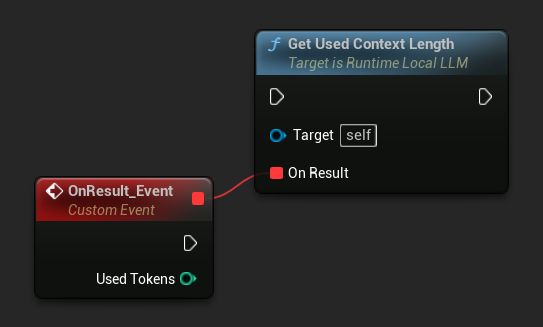
By default, auto-summarization runs before a new message is processed, since it needs to rebuild the context, which can't safely happen alongside generating a reply. If you'd rather have it run after the response instead, while the player is reading and typing, disable auto-summarization and drive it manually: bind to On Generation Complete, check Get Used Context Length against your threshold, and call Summarize Now if it's exceeded. Since Summarize Now queues on the same background task queue, it'll run right after the response finishes and before the next message is processed.
Configuration Reference
| Parameter | Type | Default | Description |
|---|---|---|---|
| Trigger Token Threshold | int32 | 1500 | Summarization runs when used context tokens exceed this value. Set this relative to your Context Size, around 60-75% is a good rule of thumb |
| Keep Recent Message Count | int32 | 4 | The most recent N messages are never summarized, preserving immediate conversational coherence |
| Min Messages To Summarize | int32 | 6 | Skip summarization if fewer than this many older messages are eligible (avoids pointless tiny summaries) |
| Max Summary Tokens | int32 | 256 | Maximum length of the generated summary in tokens |
| Preserve System Prompt | bool | true | Always keep the system message (index 0) intact |
| Summarization Instruction | FString | (see default) | The instruction sent to the model to produce the summary |
| Summary Message Prefix | FString | "[Long-term memory summary of earlier conversation]: " | Prepended to the generated summary when it's inserted into the conversation as an assistant-role memory message |
Manual Trigger and Listening for Summaries
You can trigger summarization manually at any point regardless of threshold:
- Blueprint
- C++
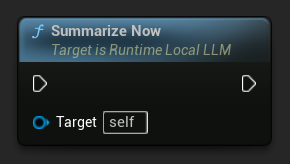
Bind to On History Summarized to be notified when a summarization pass completes. The event reports how many messages were removed, how many tokens were saved, and the generated summary text, useful for showing a subtle indicator in chat UI:
LLM->SummarizeNow();

LLM->OnHistorySummarizedNative.AddLambda(
    [](int32 MessagesRemoved, int32 TokensSaved, const FString& Summary)
{
    UE_LOG(LogTemp, Log, TEXT("Summarized %d messages, saved %d tokens"), MessagesRemoved, TokensSaved);
});
Querying Used Context Length
Use Get Used Context Length to check how many tokens are currently occupied in the model's context window. This is the same value the built-in auto-summarization trigger checks against Trigger Token Threshold.
- Blueprint
- C++
LLM->GetUsedContextLengthNative([](int32 UsedTokens)
{
    UE_LOG(LogTemp, Log, TEXT("Used context: %d tokens"), UsedTokens);
});
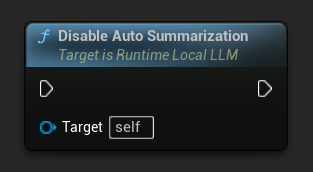
Disable Auto-Summarization
- Blueprint
- C++
LLM->DisableAutoSummarization();
Disabling does not undo summaries already applied to the conversation.
Summarization takes a moment to run on the background thread (the model is generating the summary). Token-stream callbacks are suppressed during this internal generation so they won't appear in your chat UI. On History Summarized fires once the splice is complete.
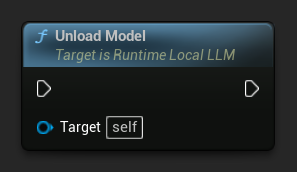
Unload a Model
Free resources when a model is no longer needed:
- Blueprint
- C++
LLM->UnloadModel();
Query State
Check the current state of the LLM instance:
- Blueprint
- C++
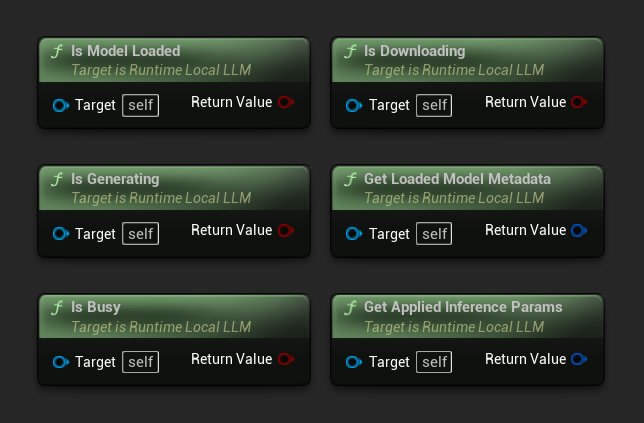
- Is Model Loaded: True if a model is ready for inference
- Is Generating: True if generation is in progress
- Is Busy: True if any operation (loading, generating, downloading) is active
- Is Downloading: True if a model download is in progress
- Get Loaded Model Metadata: Returns metadata of the current model
- Get Applied Inference Params: Returns the parameters applied when loading
// Is Model Loaded - true if a model is ready for inference
if (LLM->IsModelLoaded())
{
  FLLMModelMetadata Metadata = LLM->GetLoadedModelMetadata();
  UE_LOG(LogTemp, Log, TEXT("Model: %s"), *Metadata.ModelDisplayName);

  FLLMInferenceParams Params = LLM->GetAppliedInferenceParams();
  UE_LOG(LogTemp, Log, TEXT("Context size: %d"), Params.ContextSize);
}

// Is Generating - true if token generation is currently active
if (LLM->IsGenerating())
{
  UE_LOG(LogTemp, Log, TEXT("Generation in progress..."));
}

// Is Busy - true if any operation (loading, generating, downloading) is active
if (LLM->IsBusy())
{
  UE_LOG(LogTemp, Log, TEXT("LLM is busy, deferring request"));
}

// Is Downloading - true if a model download is currently in progress
if (LLM->IsDownloading())
{
  UE_LOG(LogTemp, Log, TEXT("Model download in progress..."));
}

// Safe to send a new message or load a different model
if (!LLM->IsGenerating() && !LLM->IsBusy())
{
  UE_LOG(LogTemp, Log, TEXT("LLM is idle and ready"));
}
Model Library Functions
A set of static utility functions is provided for managing model files on disk. These are useful for building model selection UI or checking model availability at runtime.
Get Downloaded Model Names / Metadata
- Blueprint
- C++
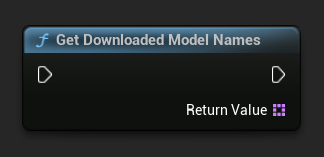
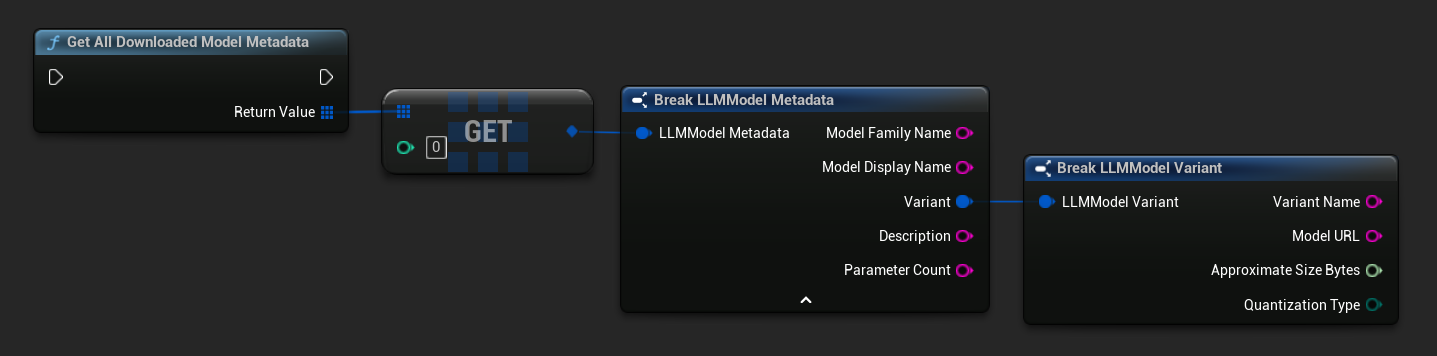
TArray<FName> ModelNames = URuntimeLLMLibrary::GetDownloadedModelNames();

TArray<FLLMModelMetadata> AllModels = URuntimeLLMLibrary::GetAllDownloadedModelMetadata();
for (const FLLMModelMetadata& Model : AllModels)
{
    UE_LOG(LogTemp, Log, TEXT("Model: %s (%s)"), *Model.ModelDisplayName, *Model.Variant.VariantName);
}
Check If a Model Is on Disk
- Blueprint
- C++
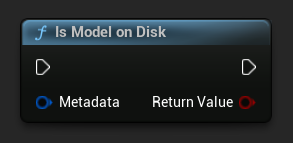
bool bExists = URuntimeLLMLibrary::IsModelOnDisk(Metadata);
Get Model File Path
- Blueprint
- C++
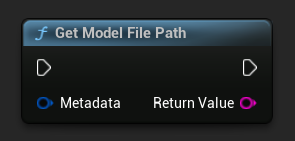
FString FilePath = URuntimeLLMLibrary::GetModelFilePath(Metadata);
Delete Model Files
- Blueprint
- C++
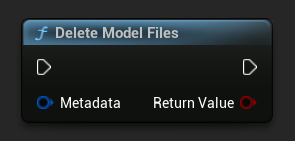
bool bDeleted = URuntimeLLMLibrary::DeleteModelFiles(Metadata);
Get Pre-defined and Available Models
- Blueprint
- C++
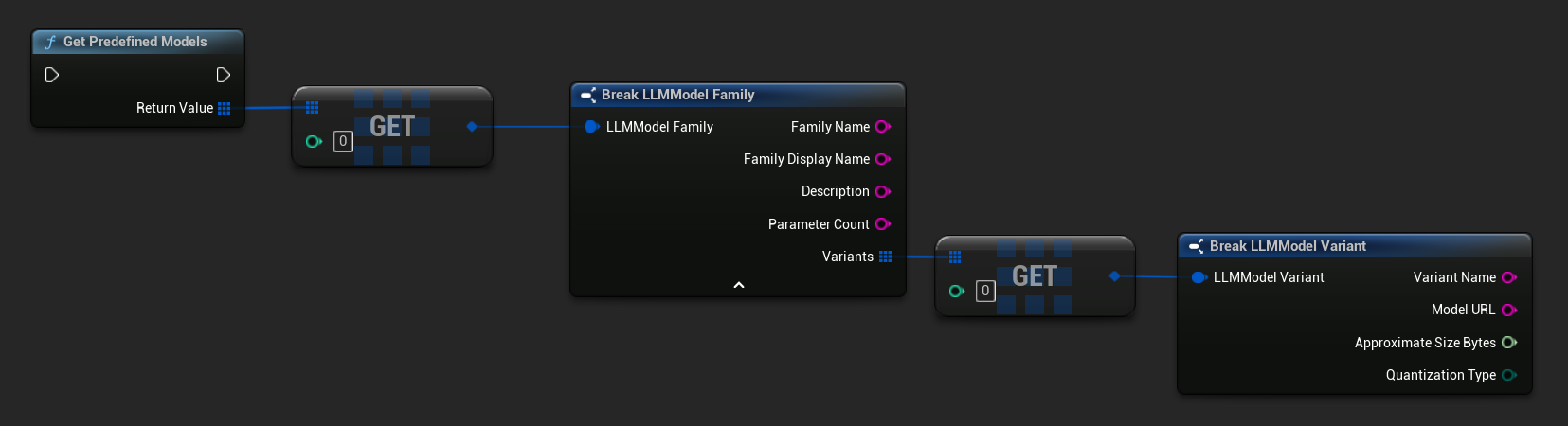
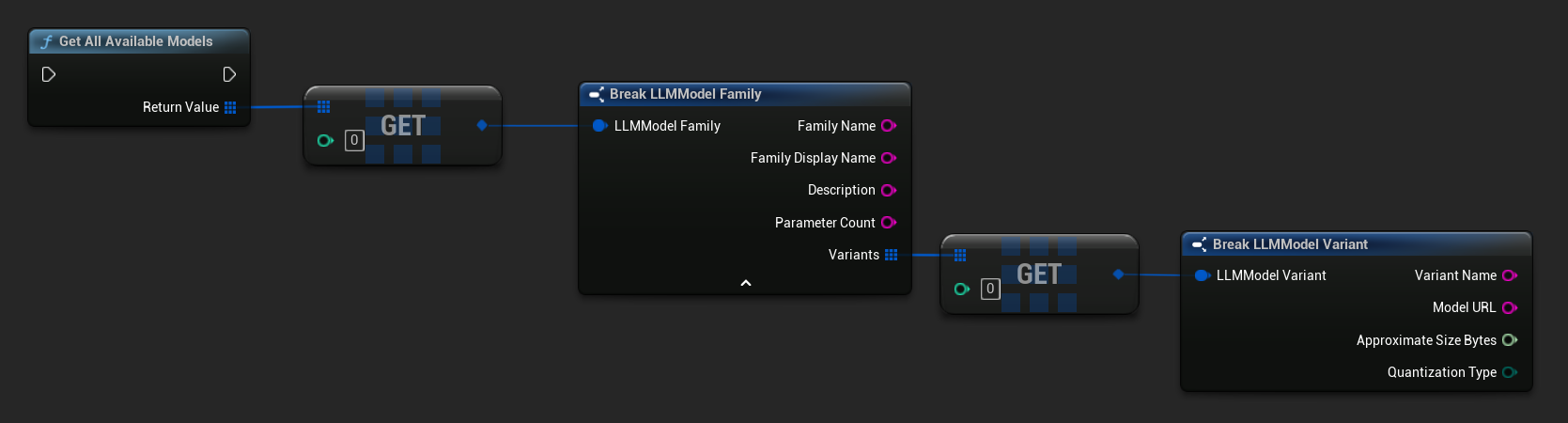
// Built-in catalog only
TArray<FLLMModelFamily> Predefined = URuntimeLLMLibrary::GetPredefinedModels();

// Catalog + custom imports
TArray<FLLMModelFamily> All = URuntimeLLMLibrary::GetAllAvailableModels();
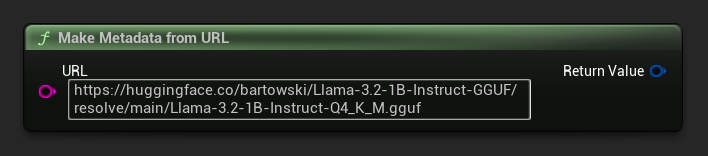
Build Metadata from a URL
Construct a model metadata from a raw URL (fields are derived from the filename):
- Blueprint
- C++
FLLMModelMetadata Metadata = URuntimeLocalLLM::MakeMetadataFromURL(
    TEXT("https://huggingface.co/bartowski/Llama-3.2-1B-Instruct-GGUF/resolve/main/Llama-3.2-1B-Instruct-Q4_K_M.gguf")
);
Utility Functions
A set of helper functions is provided for formatting and error display.
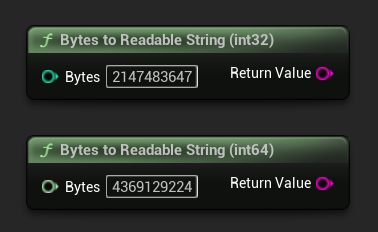
Bytes to Readable String
Converts a byte count to a human-readable string (e.g. "4.07 GB"). Useful for displaying model sizes in UI.
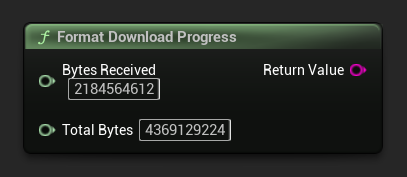
Format Download Progress
Formats a download progress string like "1.23 GB / 4.07 GB (30.2%)". If the total size is unknown, returns just the received amount.
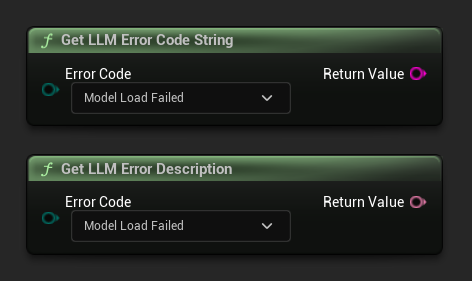
Get Error Description / Error Code String
Get LLM Error Description returns a human-readable text description for an error code. Get LLM Error Code String returns the enum value name as a string (useful for logging).
Error Codes Reference
| Code | Value | Description |
|---|---|---|
| Unknown | 0 | An unspecified error |
| ModelLoadFailed | 10 | The GGUF file failed to load (corrupt file, incompatible format, etc.) |
| ContextCreateFailed | 11 | Failed to create the inference context |
| ModelNotLoaded | 20 | Inference was attempted with no model loaded |
| ChatTemplateFailed | 21 | The model's chat template failed to apply |
| TokenizationFailed | 22 | The input text could not be tokenized |
| ContextOverflow | 23 | The prompt + context exceeds the configured context size |
| PromptDecodeFailed | 24 | The prompt tokens failed to decode |
| ContextTooFullToGenerate | 25 | Not enough context space remaining to generate output |
| GenerationDecodeFailed | 30 | A token failed to decode during generation |
| GenerationTruncated | 31 | Generation stopped because the max token limit was reached |
| LLMInstanceNull | 40 | The LLM instance is null or invalid |
| ModelNotFoundOnDisk | 41 | The model file does not exist at the expected path |
| ModelURLEmpty | 42 | A download was requested with an empty URL |
| ModelDownloadCancelled | 43 | The download was cancelled |
| ModelDownloadEmptyData | 44 | The download completed but the response body was empty |
| ModelDownloadSaveFailed | 45 | The download completed but the file could not be saved to disk |