如何使用该插件
本指南涵盖完整的运行时API:创建LLM实例、加载模型、发送消息、运行时下载模型、状态管理以及实用函数。
创建一个LLM实例
首先创建一个Runtime Local LLM对象。保持对该对象的引用(例如,在蓝图中作为变量,或在C++中作为UPROPERTY),以防止过早的垃圾回收。
- 蓝图
- C++
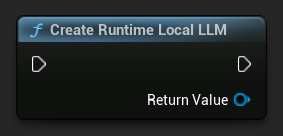
UPROPERTY()
URuntimeLocalLLM* LLM;

LLM = URuntimeLocalLLM::CreateRuntimeLocalLLM();
加载模型
在发送消息之前,您必须加载模型。该插件根据您的工作流程提供了多种加载方法。
按名称加载
如果你通过编辑器设置面板管理模型,请使用Load Model (By Name)。
- 蓝图
- C++
- UE 5.3 及更早版本
- UE 5.4+
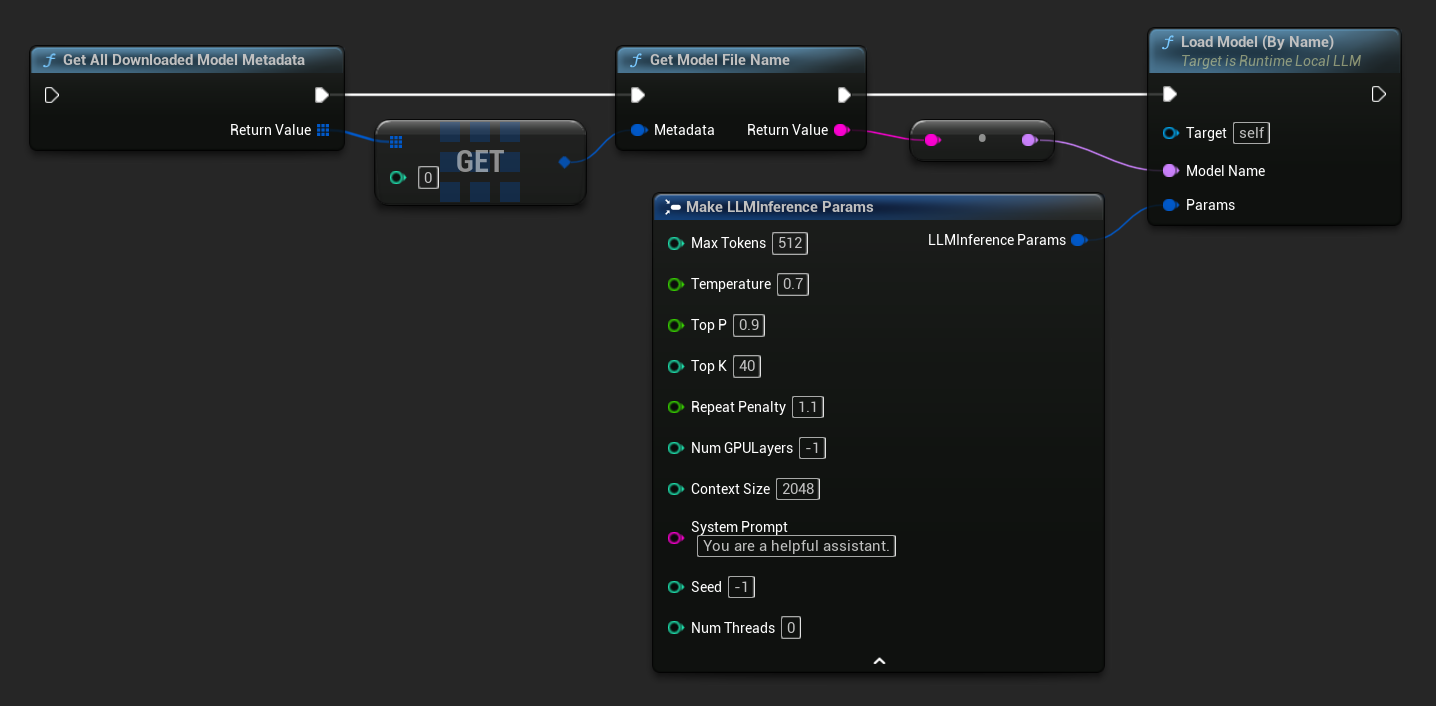
在 UE 5.3 及更早版本中,下拉菜单不会显示,因此您需要手动获取可用模型。使用 Get All Downloaded Model Metadata 获取索引 0 处的元素(或您需要的任何模型),将其传递给 Get Model File Name 以获取名称字符串,然后将该字符串传递给 Load Model (By Name)。
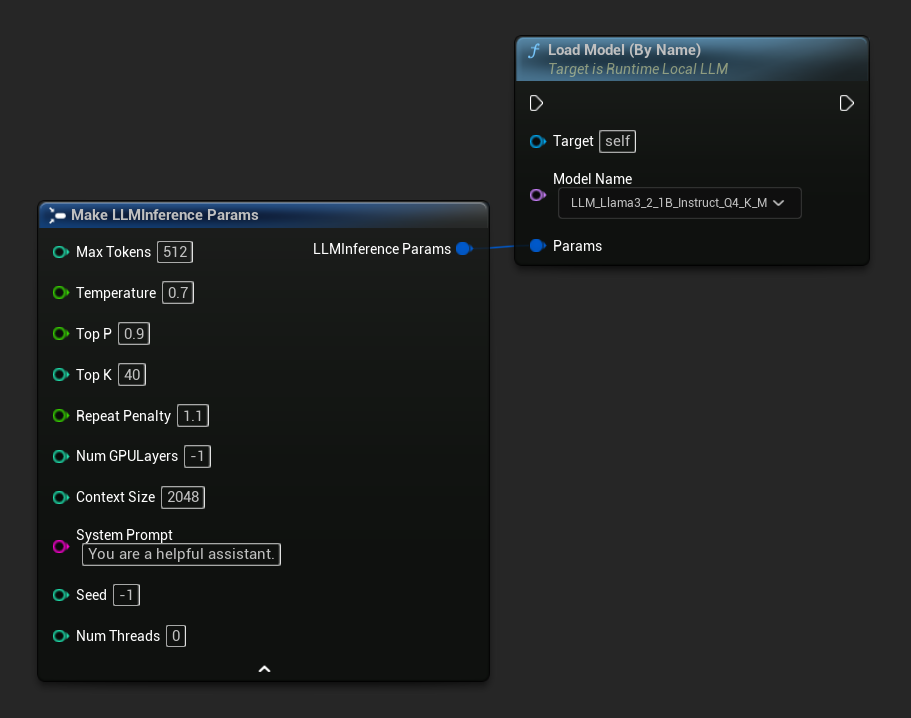
在 UE 5.4 及更高版本中,Load Model (By Name) 会显示磁盘上所有模型的下拉列表——只需选择要加载的模型即可。
在 C++ 中,使用 GetAllDownloadedModelMetadata 获取可用模型,并使用 GetModelFileName 获取要传递给 LoadModelByName 的名称。
FLLMInferenceParams Params;
Params.MaxTokens = 512;
Params.Temperature = 0.7f;
Params.SystemPrompt = TEXT("You are a helpful assistant.");

TArray<FLLMModelMetadata> DownloadedModels = URuntimeLLMLibrary::GetAllDownloadedModelMetadata();

if (DownloadedModels.Num() > 0)
{
    const FLLMModelMetadata& Model = DownloadedModels[0]; // Select the first available model
    FString ModelFileName = URuntimeLLMLibrary::GetModelFileName(Model);
    LLM->LoadModelByName(FName(*ModelFileName), Params);
}
从文件路径加载
直接从绝对文件路径加载一个 .gguf 模型文件:
- 蓝图
- C++
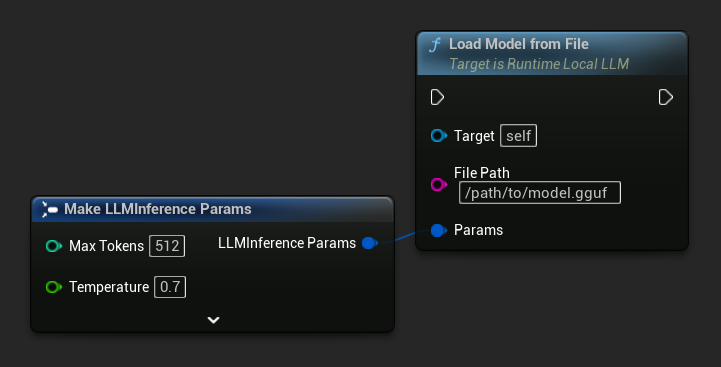
FLLMInferenceParams Params;
LLM->LoadModelFromFile(TEXT("/path/to/model.gguf"), Params);
从URL加载(下载并加载)
从URL下载模型(若本地磁盘尚未存在)并自动加载。若文件已存在于本地,则跳过下载步骤。
- 蓝图
- C++
最简单的变体仅需一个URL——元数据从文件名中提取:
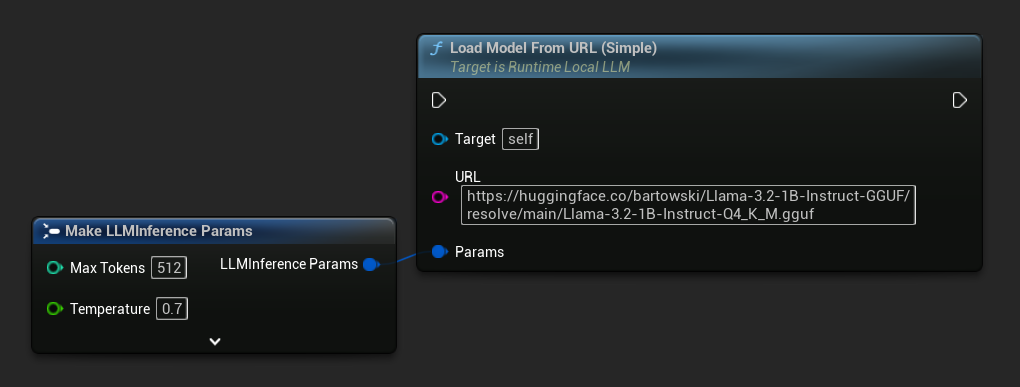
你也可以使用 Load Model From URL 并附带完整的模型元数据,以获取更丰富的模型信息:
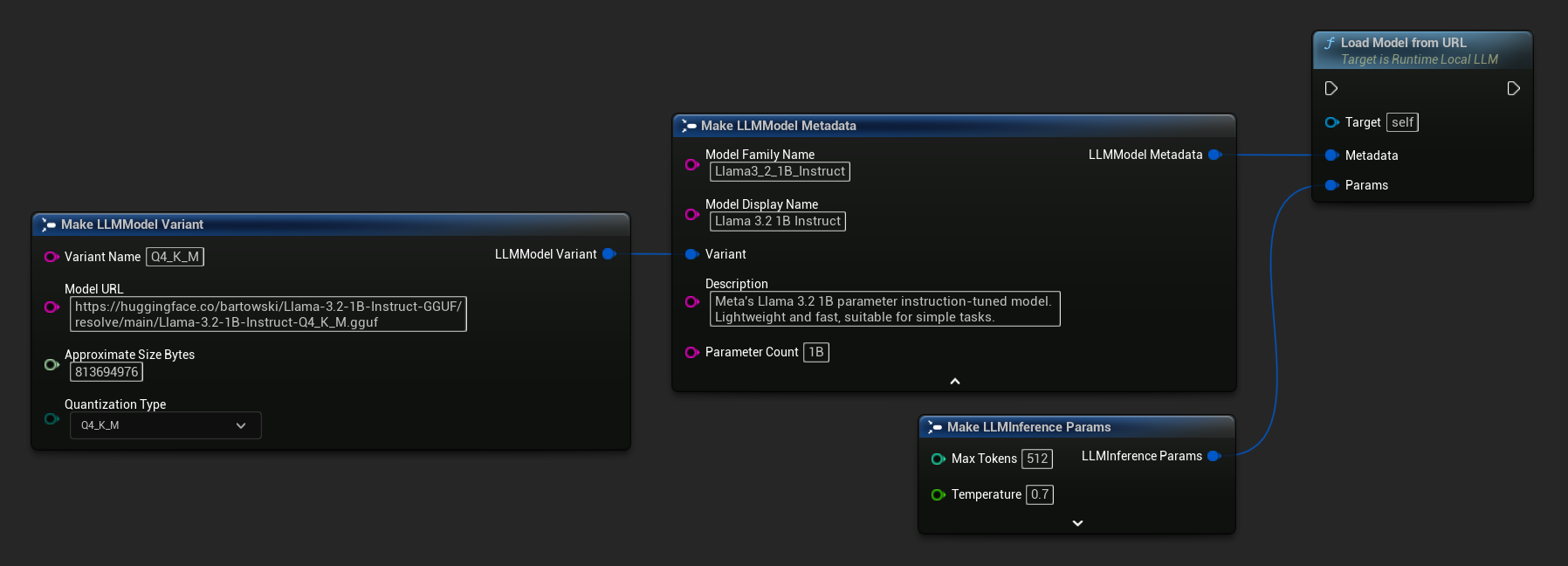
FLLMInferenceParams Params;

// Simple: URL only - metadata is derived from the filename
LLM->LoadModelFromURLSimple(
    TEXT("https://huggingface.co/bartowski/Llama-3.2-1B-Instruct-GGUF/resolve/main/Llama-3.2-1B-Instruct-Q4_K_M.gguf"), Params);

// With full metadata
FLLMModelMetadata Metadata;
Metadata.ModelFamilyName = TEXT("Llama3_2_1B_Instruct");
Metadata.ModelDisplayName = TEXT("Llama 3.2 1B Instruct");
Metadata.Description = TEXT("Meta's Llama 3.2 1B parameter instruction-tuned model. Lightweight and fast, suitable for simple tasks.");
Metadata.ParameterCount = TEXT("1B");
Metadata.Variant.VariantName = TEXT("Q4_K_M");
Metadata.Variant.ModelURL = TEXT("https://huggingface.co/bartowski/Llama-3.2-1B-Instruct-GGUF/resolve/main/Llama-3.2-1B-Instruct-Q4_K_M.gguf");
Metadata.Variant.ApproximateSizeBytes = 776LL * 1024 * 1024;
Metadata.Variant.QuantizationType = ELLMQuantizationType::Q4_K_M;
LLM->LoadModelFromURL(Metadata, Params);
异步加载(蓝图)
为了通过输出引脚处理加载完成和错误,而无需手动绑定委托,提供了两个异步节点。
Load Model By Name (Async) 与 Load Model (By Name) 功能一致——在 UE 5.4+ 中,它会显示一个下拉菜单,列出磁盘上的所有模型。
- UE 5.4+
- UE 5.3 及更早版本
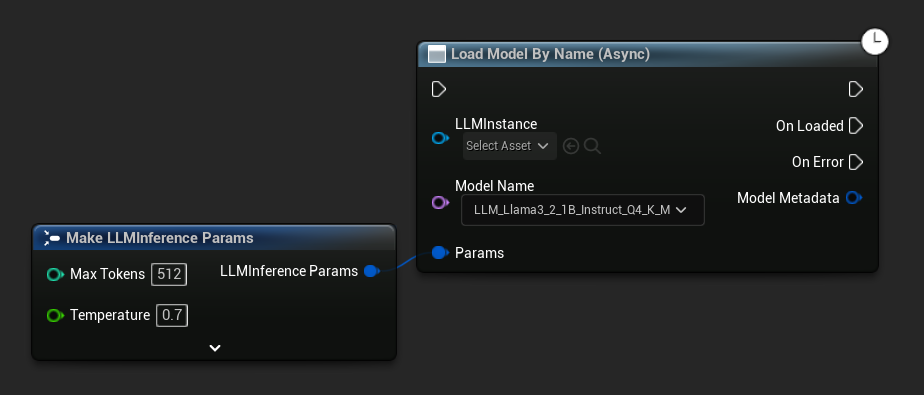
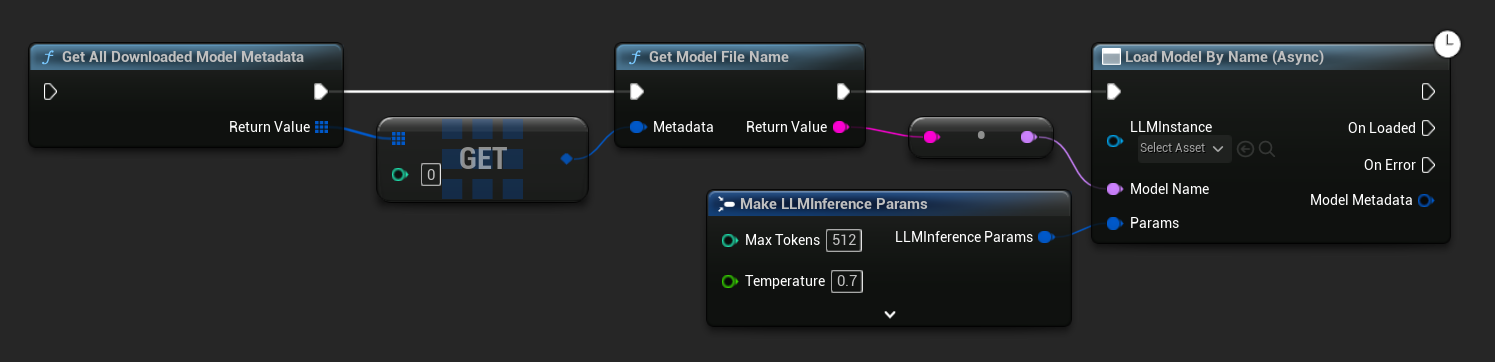
在 UE 5.3 及更早版本中,下拉菜单不会出现。请使用 Get All Downloaded Model Metadata,获取索引 0 处的元素(或您需要的任何模型),将其传递给 Get Model File Name,然后再传递给 Load Model By Name (Async)。
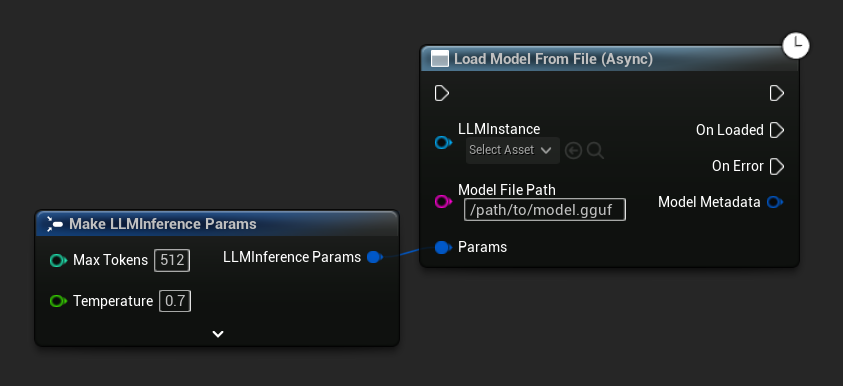
Load Model From File (Async) 接受绝对文件路径作为输入:
绑定事件
绑定到LLM实例的委托以接收回调。所有回调均在游戏线程上触发。
- 蓝图
- C++
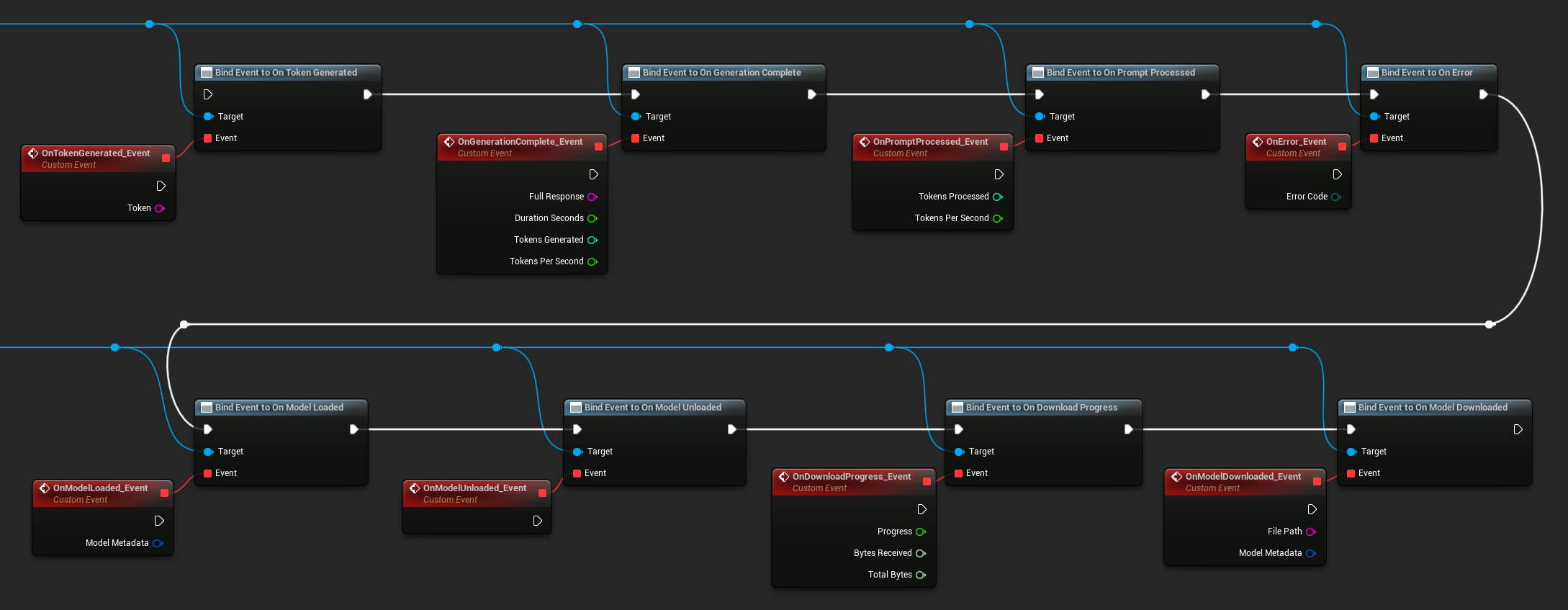
可用的委托:
- 生成令牌时:每输出一个令牌时触发
- 生成完成时:完整响应就绪时触发,包含持续时间、令牌数量和每秒令牌数
- 提示处理完成时:输入提示处理完成后、生成开始前触发
- 出错时:任何操作发生错误时触发
- 模型加载完成时:模型加载完毕时触发
- 模型卸载完成时:模型被卸载时触发
- 下载进度更新时:模型下载期间周期性触发(进度比例、已接收字节数、总字节数)
- 模型下载完成时:仅下载操作完成时触发
- 对话保存完成时:对话已写入JSON文件时触发
- 对话加载完成时:从文件或内存快照加载对话时触发
- 历史记录摘要完成时:自动摘要压缩旧消息时触发(报告消息数量、节省的令牌数和摘要内容)
LLM->OnTokenGeneratedNative.AddLambda([](const FString& Token)
{
});

LLM->OnGenerationCompleteNative.AddLambda(
[](const FString& FullResponse, float DurationSeconds, int32 TokensGenerated, float TokensPerSecond)
{
});

LLM->OnPromptProcessedNative.AddLambda([](int32 TokensProcessed, float TokensPerSecond)
{
});

LLM->OnErrorNative.AddLambda([](ELLMErrorCode ErrorCode)
{
});

LLM->OnModelLoadedNative.AddLambda([](const FLLMModelMetadata& ModelMetadata)
{
});

LLM->OnModelUnloadedNative.AddLambda([]()
{
});

LLM->OnDownloadProgressNative.AddLambda([](float Progress, int64 BytesReceived, int64 TotalBytes)
{
});

LLM->OnModelDownloadedNative.AddLambda([](const FString& FilePath, const FLLMModelMetadata& ModelMetadata)
{
});

LLM->OnConversationSavedNative.AddLambda([](const FString& FilePath)
{
});

LLM->OnConversationLoadedNative.AddLambda([](const FLLMConversationSnapshot& Snapshot)
{
});

LLM->OnHistorySummarizedNative.AddLambda([](int32 MessagesRemoved, int32 TokensSaved, const FString& Summary)
{
});
发送消息
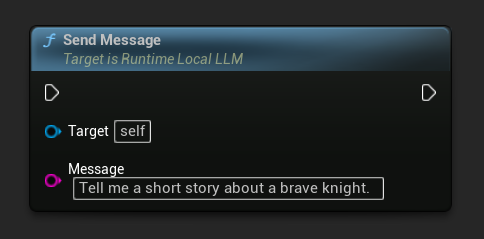
模型加载完成后,发送用户消息以生成响应:
- 蓝图
- C++
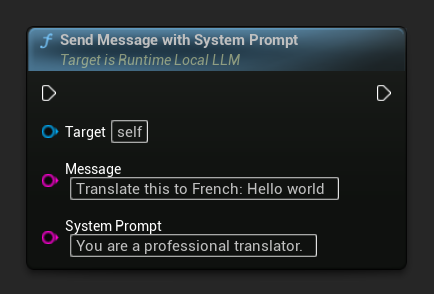
要覆盖特定消息的系统提示,请使用 Send Message With System Prompt:
LLM->SendMessage(TEXT("Tell me a short story about a brave knight."));

// With a custom system prompt override
LLM->SendMessageWithSystemPrompt(
    TEXT("Translate this to French: Hello world"),
    TEXT("You are a professional translator.")
);
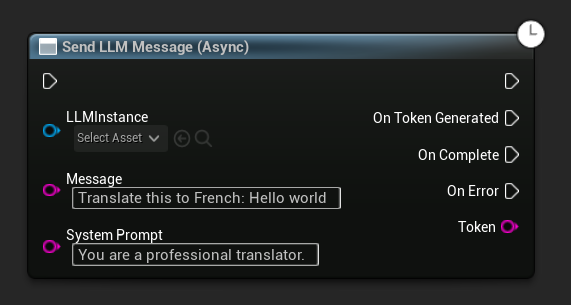
当生成令牌时,它们会通过 OnTokenGenerated 事件流式输出。生成完成后,OnGenerationComplete 事件会触发,并返回完整响应、持续时间、令牌数量以及每秒令牌数。
异步发送消息(蓝图)
Send LLM Message (Async) 节点为令牌、完成状态和错误提供了专用的输出引脚:
在运行时下载模型
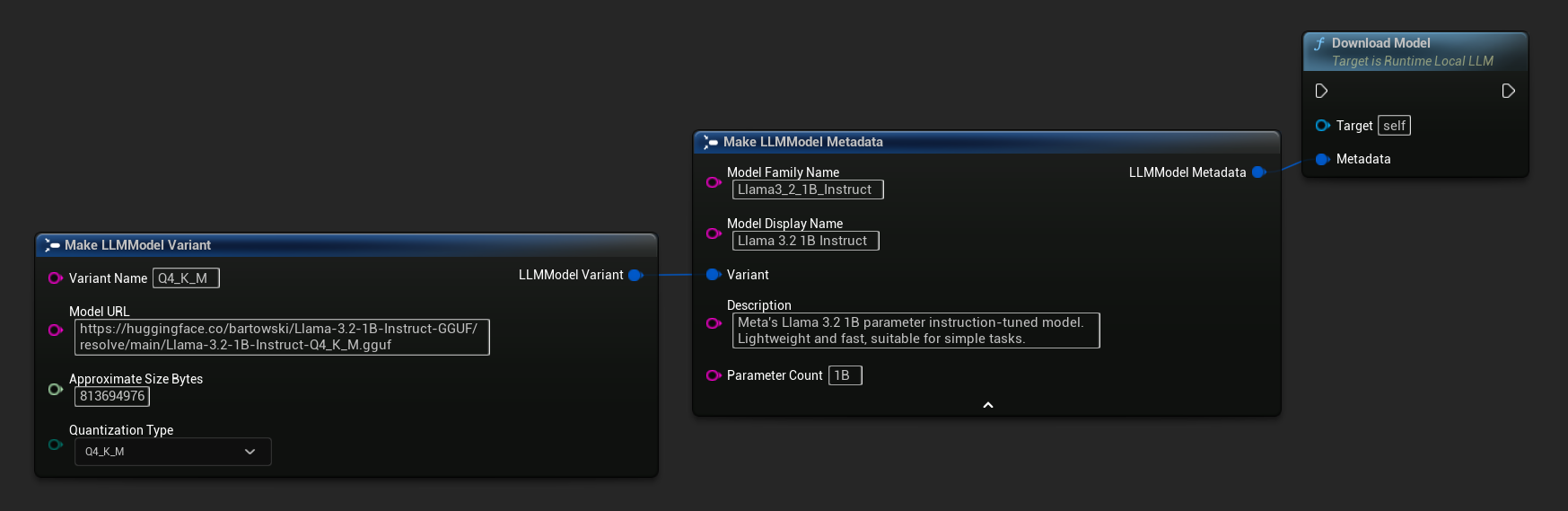
除了上述的下载并加载流程外,您还可以将模型下载到磁盘而不加载它。这在加载界面或设置菜单中预缓存模型时非常有用。
- 蓝图
- C++
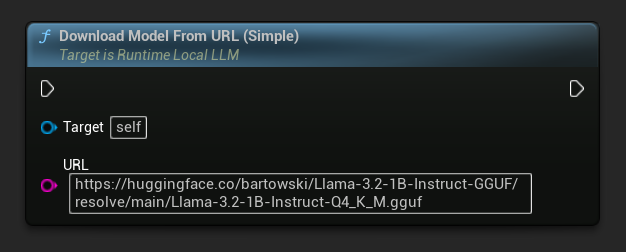
仅提供 URL 的变体也可用:
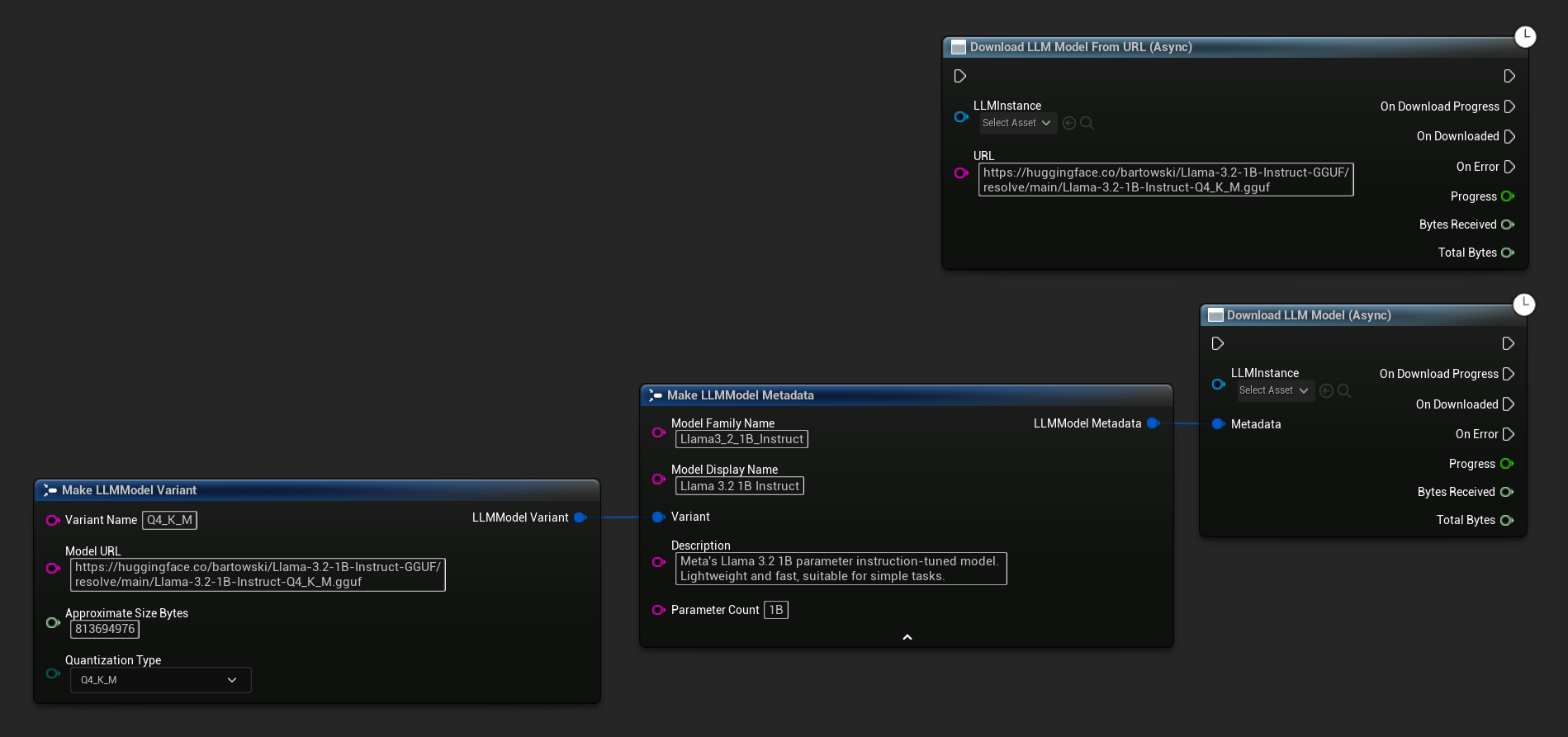
下载LLM模型(异步)和从URL下载LLM模型(异步)节点提供了用于进度、完成和错误的输出引脚:
// With full metadata
FLLMModelMetadata Metadata;
Metadata.ModelFamilyName = TEXT("Llama3_2_1B_Instruct");
Metadata.ModelDisplayName = TEXT("Llama 3.2 1B Instruct");
Metadata.Description = TEXT("Meta's Llama 3.2 1B parameter instruction-tuned model. Lightweight and fast, suitable for simple tasks.");
Metadata.ParameterCount = TEXT("1B");
Metadata.Variant.VariantName = TEXT("Q4_K_M");
Metadata.Variant.ModelURL = TEXT("https://huggingface.co/bartowski/Llama-3.2-1B-Instruct-GGUF/resolve/main/Llama-3.2-1B-Instruct-Q4_K_M.gguf");
Metadata.Variant.ApproximateSizeBytes = 776LL * 1024 * 1024;
Metadata.Variant.QuantizationType = ELLMQuantizationType::Q4_K_M;
LLM->DownloadModel(Metadata);

// URL only
LLM->DownloadModelFromURL(
    TEXT("https://huggingface.co/bartowski/Llama-3.2-1B-Instruct-GGUF/resolve/main/Llama-3.2-1B-Instruct-Q4_K_M.gguf"));
OnDownloadProgress 委托在下载过程中报告进度。OnModelDownloaded 在文件保存到磁盘时触发。
要取消正在进行的下载:
- 蓝图
- C++
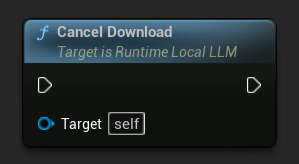
LLM->CancelDownload();
该插件会自动防止重复下载——如果同一模型的下载任务正在进行中,后续的调用请求将被忽略。
停止生成
要中断正在进行的生成:
- 蓝图
- C++
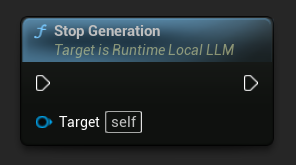
LLM->StopGeneration();
重置对话上下文
清除对话历史以开始新对话:
- 蓝图
- C++
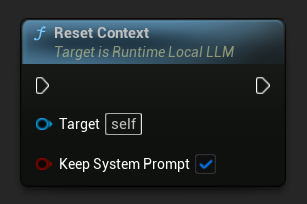
// Keep the system prompt
LLM->ResetContext(true);

// Clear everything including the system prompt
LLM->ResetContext(false);
保存和加载对话
该插件可将对话历史以JSON格式持久化到磁盘,或作为快照保留在内存中。默认情况下,系统提示词不包含在保存内容中,因此同一段对话历史可加载到具有不同系统规则的不同LLM实例中。这对于多NPC场景非常实用——每个角色拥有独立记忆,但系统指令可以共享或差异化。
保存到文件
将当前对话保存到磁盘上的 JSON 文件中:
- 蓝图
- C++
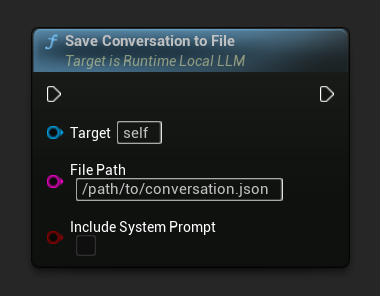
Include System Prompt 参数控制系统消息(如果存在)是否写入文件。默认值为 false,以确保在不同 NPC 之间具有可移植性。
On Conversation Saved 在文件写入时触发。
// Excludes system prompt by default
LLM->SaveConversationToFile(TEXT("/path/to/conversation.json"));

// Include the system prompt in the file
LLM->SaveConversationToFile(TEXT("/path/to/conversation.json"), /*bIncludeSystemPrompt=*/ true);
从文件加载
从 JSON 文件加载对话记录:
- 蓝图
- C++
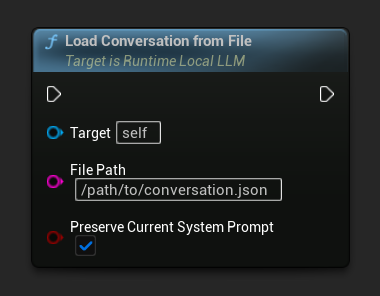
保留当前系统提示参数(默认值为true)可在替换已保存对话历史的同时,保持当前加载的系统提示不变。这是NPC记忆交换的推荐设置。
On Conversation Loaded 在加载快照时触发。
// Keep current system prompt, swap in the saved history
LLM->LoadConversationFromFile(TEXT("/path/to/conversation.json"));

// Replace the system prompt with whatever's in the file
LLM->LoadConversationFromFile(TEXT("/path/to/conversation.json"), /*bPreserveCurrentSystemPrompt=*/ false);
内存快照(多NPC工作流)
为了在游戏过程中快速切换NPC,请将当前对话快照保存到内存中,而非写入磁盘。这种模式是管理多个NPC共享单个已加载模型的推荐方式:
- 蓝图
- C++
典型的多NPC模式会在NPC管理器或游戏状态中使用一个名称 → LLM对话快照的映射表:
- 切换离开NPC时:调用
Save Conversation To Memory,然后在On Conversation Loaded(该事件也会在快照传递时触发)中,将快照以NPC名称为键存储到你的映射中。 - 切换至另一个NPC时:从你的映射中读取快照,并调用
Load Conversation From Memory,同时启用Preserve Current System Prompt。

由于系统提示在切换过程中保持加载状态,每个NPC的“个性”既可以通过每个NPC独立的系统提示进行编码(在切换后调用一次Send Message With System Prompt来更新),也可以在所有NPC之间共享。
// Maintain per-NPC snapshots
UPROPERTY()
TMap<FName, FLLMConversationSnapshot> NPCMemories;

// Save the currently active NPC's memory before switching
LLM->OnConversationLoadedNative.AddLambda([this](const FLLMConversationSnapshot& Snapshot)
{
    NPCMemories.Add(CurrentNPC, Snapshot);
});
LLM->SaveConversationToMemory();

// Activate another NPC's memory
if (const FLLMConversationSnapshot* Found = NPCMemories.Find(NextNPC))
{
    LLM->LoadConversationFromMemory(*Found, /*bPreserveCurrentSystemPrompt=*/ true);
    CurrentNPC = NextNPC;
}
快照与模型无关——它们存储的是消息,而非KV缓存状态。同一份快照可以加载到不同的模型中(尽管对话风格可能会发生变化)。快照中的OriginModelFamilyName字段可让您查看生成该快照的模型,以便在需要时强制兼容性。
自动上下文摘要
长对话最终会超出模型的上下文窗口,通常会导致历史记录被截断或引发错误。该插件的自动摘要功能会监控上下文使用情况,当超过预设阈值时,会在生成下一条回复前将较早的消息总结为一条"记忆"消息。这使得令牌成本和延迟在无限长的对话中保持稳定。
摘要由同一加载的模型执行,因此无需第二个模型或API调用。
启用自动摘要
- 蓝图
- C++
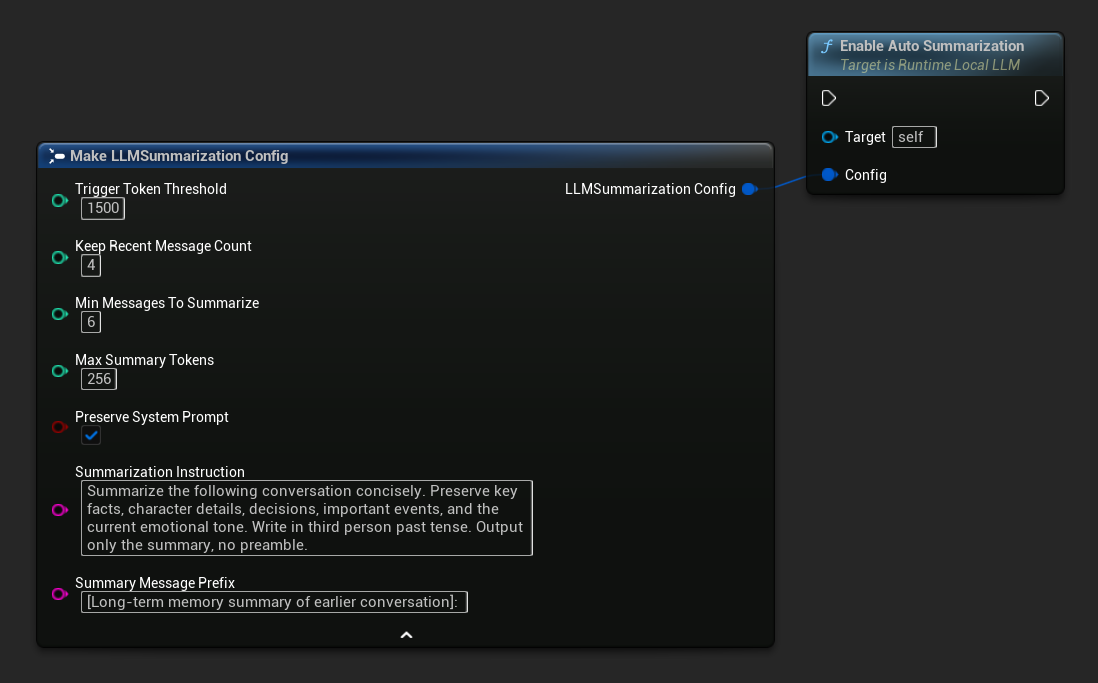
使用 获取默认摘要配置 获取合理的初始默认值,然后根据需要进行调整:
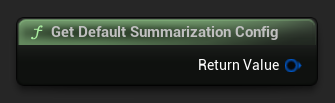
FLLMSummarizationConfig Config = URuntimeLocalLLM::GetDefaultSummarizationConfig();
Config.TriggerTokenThreshold = 1500;
Config.KeepRecentMessageCount = 4;
Config.MinMessagesToSummarize = 6;
LLM->EnableAutoSummarization(Config);
启用后,摘要功能会在每次 SendMessage 调用前自动运行(如有需要),无需额外操作。
默认情况下,自动摘要会在处理新消息前运行,因为它需要重建上下文,而这一过程无法与生成回复同时安全进行。若希望改为在回复生成后、玩家阅读和输入时执行,可禁用自动摘要并手动触发:绑定到On Generation Complete,将Get Used Context Length与阈值对比,若超出则调用Summarize Now。由于Summarize Now会加入同一后台任务队列,它将在回复完成后、下一条消息处理前立即执行。
配置参考
| 参数 | Type | 默认 | 描述 |
|---|---|---|---|
| 触发令牌阈值 | int32 | 1500 | 当使用的上下文令牌超过此值时,将运行摘要功能。请根据您的上下文大小设置此值,通常建议设为上下文大小的60-75%左右。 |
| 保留最近消息数量 | int32 | 4 | 最近的 N 条消息不会被总结,以保持即时对话的连贯性。 |
| 最少消息数以进行总结 | int32 | 6 | 如果符合条件的旧消息数量少于这个值,则跳过摘要生成(避免生成无意义的小摘要)。 |
| 最大摘要令牌数 | int32 | 256 | 生成的摘要最大长度(以令牌计) |
| 保留系统提示 | bool | true | 始终保留系统消息(索引0)不变 |
| 摘要说明 | FString | (see default) | 用于生成摘要的模型指令 |
| 摘要消息前缀 | FString | "[先前对话的长期记忆摘要]:" | 当生成的摘要作为助手角色的记忆消息插入对话时,会在其前面添加以下内容: |
手动触发与监听摘要
您可以随时手动触发摘要生成,不受阈值限制:
- 蓝图
- C++
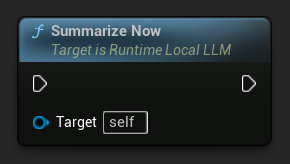
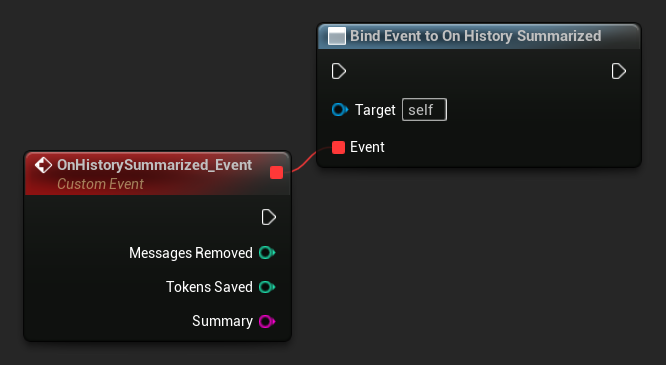
绑定到 On History Summarized,以便在摘要处理完成时收到通知。该事件会报告已移除的消息数量、节省的令牌数以及生成的摘要文本,可用于在聊天界面中显示微妙的提示指示器。
LLM->SummarizeNow();

LLM->OnHistorySummarizedNative.AddLambda(
    [](int32 MessagesRemoved, int32 TokensSaved, const FString& Summary)
{
    UE_LOG(LogTemp, Log, TEXT("Summarized %d messages, saved %d tokens"), MessagesRemoved, TokensSaved);
});
查询已使用的上下文长度
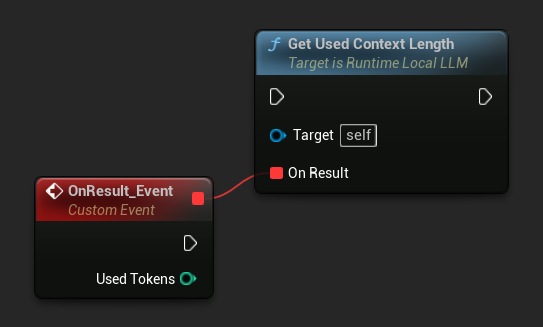
使用 获取已用上下文长度 来检查模型上下文窗口中当前占用了多少令牌。该值与内置自动摘要触发器检查的 触发令牌阈值 相同。
- 蓝图
- C++
LLM->GetUsedContextLengthNative([](int32 UsedTokens)
{
    UE_LOG(LogTemp, Log, TEXT("Used context: %d tokens"), UsedTokens);
});
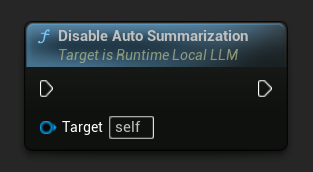
禁用自动摘要
- 蓝图
- C++
LLM->DisableAutoSummarization();
禁用不会撤销已应用于对话的摘要。
摘要生成会在后台线程上运行一段时间(模型正在生成摘要)。在此内部生成过程中,令牌流回调会被抑制,因此不会出现在您的聊天界面中。On History Summarized 会在拼接完成后触发。
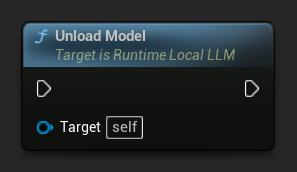
卸载模型
当模型不再需要时释放资源:
- 蓝图
- C++
LLM->UnloadModel();
查询状态
检查 LLM 实例的当前状态:
- 蓝图
- C++
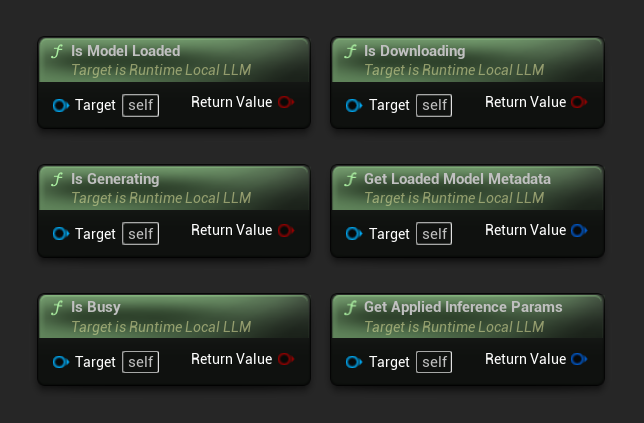
- 模型已加载:如果模型已准备好进行推理,则为真
- 正在生成:如果生成正在进行中,则为真
- 忙碌中:如果任何操作(加载、生成、下载)处于活动状态,则为真
- 正在下载:如果模型下载正在进行中,则为真
- 获取已加载模型元数据:返回当前模型的元数据
- 获取已应用的推理参数:返回加载时应用的参数
// Is Model Loaded - true if a model is ready for inference
if (LLM->IsModelLoaded())
{
  FLLMModelMetadata Metadata = LLM->GetLoadedModelMetadata();
  UE_LOG(LogTemp, Log, TEXT("Model: %s"), *Metadata.ModelDisplayName);

  FLLMInferenceParams Params = LLM->GetAppliedInferenceParams();
  UE_LOG(LogTemp, Log, TEXT("Context size: %d"), Params.ContextSize);
}

// Is Generating - true if token generation is currently active
if (LLM->IsGenerating())
{
  UE_LOG(LogTemp, Log, TEXT("Generation in progress..."));
}

// Is Busy - true if any operation (loading, generating, downloading) is active
if (LLM->IsBusy())
{
  UE_LOG(LogTemp, Log, TEXT("LLM is busy, deferring request"));
}

// Is Downloading - true if a model download is currently in progress
if (LLM->IsDownloading())
{
  UE_LOG(LogTemp, Log, TEXT("Model download in progress..."));
}

// Safe to send a new message or load a different model
if (!LLM->IsGenerating() && !LLM->IsBusy())
{
  UE_LOG(LogTemp, Log, TEXT("LLM is idle and ready"));
}
模型库功能
提供了一组静态工具函数,用于管理磁盘上的模型文件。这些函数有助于构建模型选择界面或在运行时检查模型可用性。
获取已下载的模型名称/元数据
- 蓝图
- C++
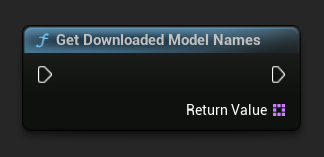
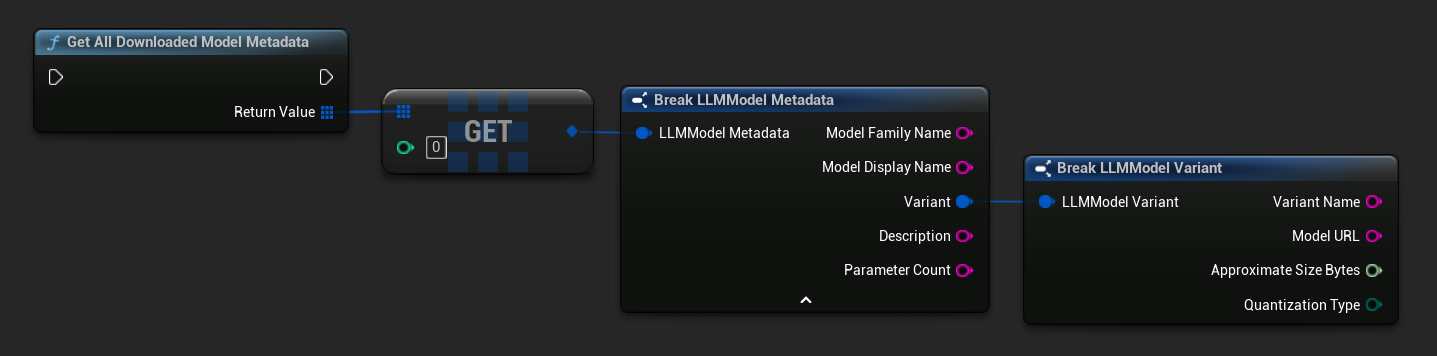
TArray<FName> ModelNames = URuntimeLLMLibrary::GetDownloadedModelNames();

TArray<FLLMModelMetadata> AllModels = URuntimeLLMLibrary::GetAllDownloadedModelMetadata();
for (const FLLMModelMetadata& Model : AllModels)
{
    UE_LOG(LogTemp, Log, TEXT("Model: %s (%s)"), *Model.ModelDisplayName, *Model.Variant.VariantName);
}
检查模型是否在磁盘上
- 蓝图
- C++
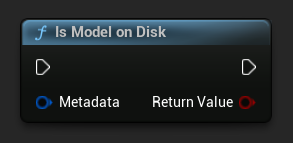
bool bExists = URuntimeLLMLibrary::IsModelOnDisk(Metadata);
获取模型文件路径
- 蓝图
- C++
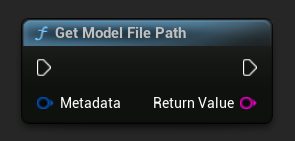
FString FilePath = URuntimeLLMLibrary::GetModelFilePath(Metadata);
删除模型文件
- 蓝图
- C++
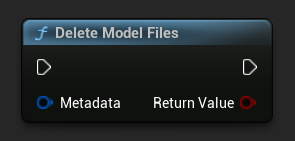
bool bDeleted = URuntimeLLMLibrary::DeleteModelFiles(Metadata);
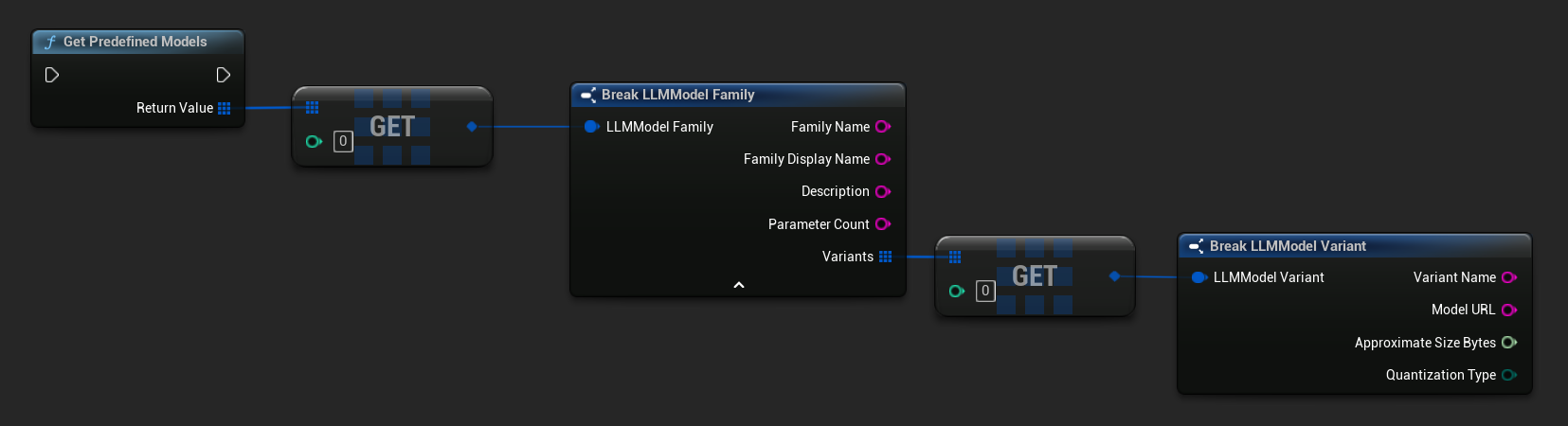
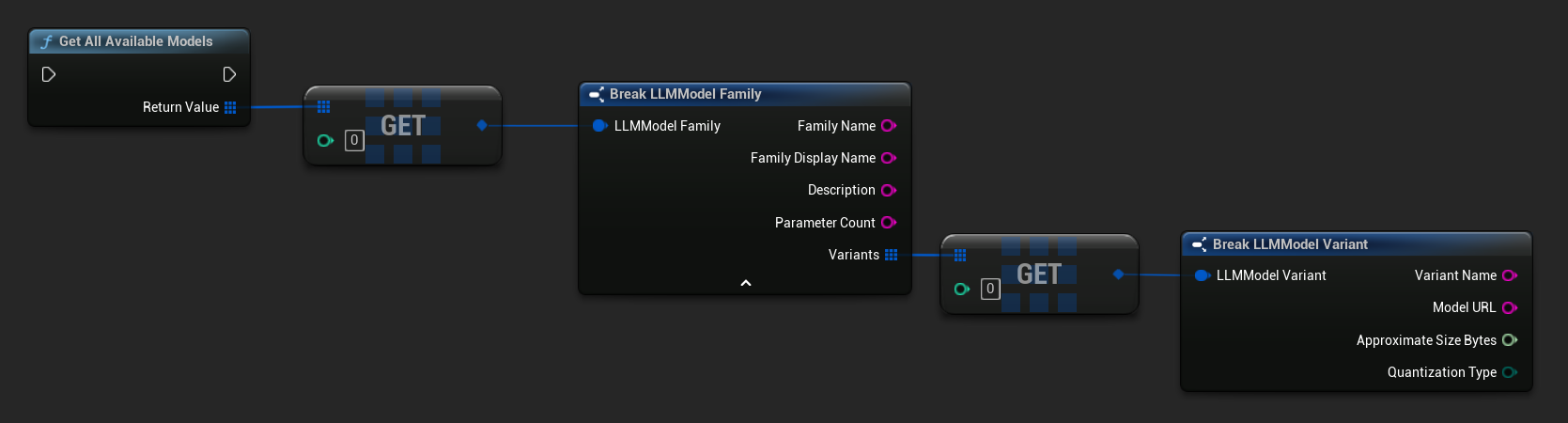
获取预定义和可用模型
- 蓝图
- C++
// Built-in catalog only
TArray<FLLMModelFamily> Predefined = URuntimeLLMLibrary::GetPredefinedModels();

// Catalog + custom imports
TArray<FLLMModelFamily> All = URuntimeLLMLibrary::GetAllAvailableModels();
从URL构建元数据
从原始URL构建模型元数据(字段从文件名中提取):
- 蓝图
- C++
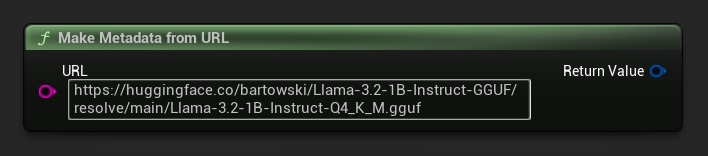
FLLMModelMetadata Metadata = URuntimeLocalLLM::MakeMetadataFromURL(
    TEXT("https://huggingface.co/bartowski/Llama-3.2-1B-Instruct-GGUF/resolve/main/Llama-3.2-1B-Instruct-Q4_K_M.gguf")
);
工具函数
提供了一组辅助函数,用于格式化和错误显示。
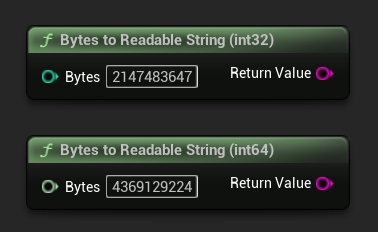
字节转换为可读字符串
将字节数转换为人类可读的字符串(例如 "4.07 GB")。适用于在 UI 中显示模型大小。
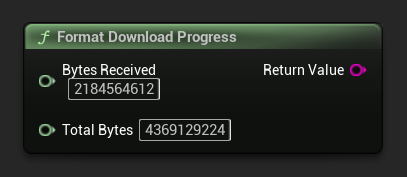
格式下载进度
格式化下载进度字符串,例如"1.23 GB / 4.07 GB (30.2%)"。如果总大小未知,则仅返回已接收的数据量。
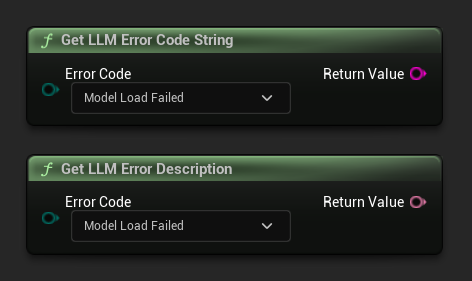
获取错误描述 / 错误代码字符串
Get LLM Error Description 返回错误代码的人类可读文本描述。Get LLM Error Code String 返回枚举值名称的字符串形式(适用于日志记录)。
错误代码参考
| Code | 价值 | 描述 |
|---|---|---|
| 未知 | 0 | 未指定的错误 |
| 模型加载失败 | 10 | GGUF 文件加载失败(文件损坏、格式不兼容等)。 |
| 上下文创建失败 | 11 | 创建推理上下文失败 |
| 模型未加载 | 20 | 尝试推理时未加载任何模型。 |
| 聊天模板失败 | 21 | 模型的聊天模板应用失败。 |
| TokenizationFailed | 22 | 无法对输入文本进行分词处理。 |
| 上下文溢出 | 23 | 提示词加上上下文超出了配置的上下文大小。 |
| 提示解码失败 | 24 | 提示词令牌解码失败。 |
| 上下文过长无法生成 | 25 | 剩余上下文空间不足,无法生成输出。 |
| 生成解码失败 | 30 | 生成过程中,一个令牌解码失败。 |
| 生成截断 | 31 | 生成已停止,因为已达到最大令牌限制。 |
| LLMInstanceNull | 40 | LLM 实例为空或无效。 |
| ModelNotFoundOnDisk | 41 | 模型文件在预期路径下不存在。 |
| 模型URL为空 | 42 | 请求下载时提供了空的URL。 |
| 模型下载已取消 | 43 | 下载已取消。 |
| 模型下载空数据 | 44 | 下载已完成,但响应内容为空。 |
| 模型下载保存失败 | 45 | 下载已完成,但文件无法保存到磁盘。 |