聲學迴聲消除
Streaming Sound Wave 及其衍生類型(如 Capturable Sound Wave)支援聲學迴聲消除(AEC)。AEC 可消除因播放渲染訊號(例如透過揚聲器播放的音訊)而導致的麥克風捕獲音訊中的迴聲。其結果是在即時通訊場景中獲得更清晰的語音捕獲。
該外掛透過 WebRTC AEC3 實作提供 AEC,這是一個輕量級擴充外掛,僅包含相關的 AEC3 程式碼。WebRTC AEC3 是一種高品質的聲學迴聲消除器,廣泛應用於即時通訊應用程式中。它對揚聲器與麥克風之間的聲學路徑進行建模,以從捕獲的訊號中減去迴聲。
安裝
若要使用聲學迴聲消除,您需要安裝 WebRTC AEC3 擴充外掛:
- 確保您的專案中已安裝 Runtime Audio Importer 外掛
- 從此處下載 WebRTC AEC3 擴充外掛
- 將下載的壓縮檔中的資料夾解壓縮到專案的
Plugins資料夾中(如果該資料夾不存在,請建立它) - 重新建置您的專案(此擴充功能需要 C++ 專案)
- WebRTC AEC3 支援 Runtime Audio Importer 支援的所有引擎版本(UE 4.24、4.25、4.26、4.27、5.0、5.1、5.2、5.3、5.4、5.5、5.6、5.7 和 5.8)
- 此擴充功能以原始碼形式提供,需要使用 C++ 專案
- WebRTC AEC3 適用於 Windows、Linux、Mac、Android(包括 Meta Quest)和 iOS
- 有關如何手動建置外掛的更多資訊,請參閱建置外掛教學
基本用法
典型的 AEC 工作流程包含三個步驟:
- 啟用 AEC 在您的串流/可捕獲音波上
- 設定渲染區塊大小 在渲染音波上以實現 10 毫秒幀傳遞
- 綁定渲染音波,其音訊將用於消除來自捕獲訊號的迴聲
啟用 AEC
在建立串流音波後啟用 AEC,請使用 ToggleAEC 函數。您必須為 AEC 處理器指定取樣率和通道數。如果傳入的捕獲或渲染音訊與這些值不符,它將自動重新取樣,但設定的取樣率仍會影響品質(例如,48000 Hz 將比 16000 Hz 產生更好的迴聲消除效果)和效能,因此值得仔細選擇這些值,而不是將其留給重新取樣處理。
- Blueprint
- C++
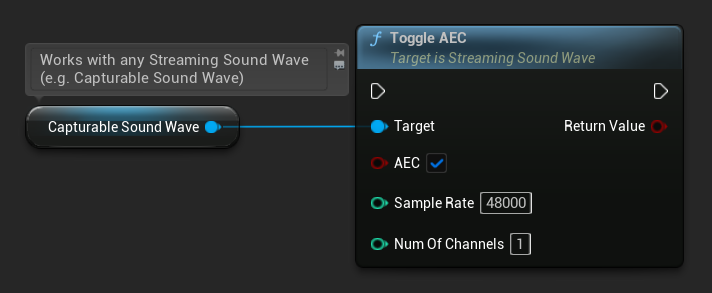
// Assuming StreamingSoundWave is a UE reference to a UStreamingSoundWave object (or its derived type, such as UCapturableSoundWave)
StreamingSoundWave->ToggleAEC(true, 48000, 1);
您可以檢查 AEC 目前是否已啟用:
- Blueprint
- C++
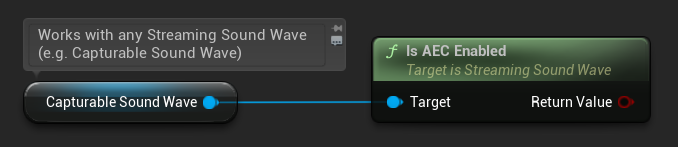
// Assuming StreamingSoundWave is a UE reference to a UStreamingSoundWave object (or its derived type, such as UCapturableSoundWave)
bool bEnabled = StreamingSoundWave->IsAECEnabled();
設定渲染區塊大小
WebRTC AEC3 要求音訊以 10 毫秒區塊 進行處理。為確保渲染音波以正確的幀大小傳遞音訊資料,請在渲染 Imported Sound Wave(透過揚聲器播放的音波)上使用 SetNumSamplesPerChunk 函式。
計算每個區塊正確樣本數量的公式為:
例如,对于 48000 Hz 的音频:48000 / 100 = 480 个采样点每个块。
- 蓝图
- C++
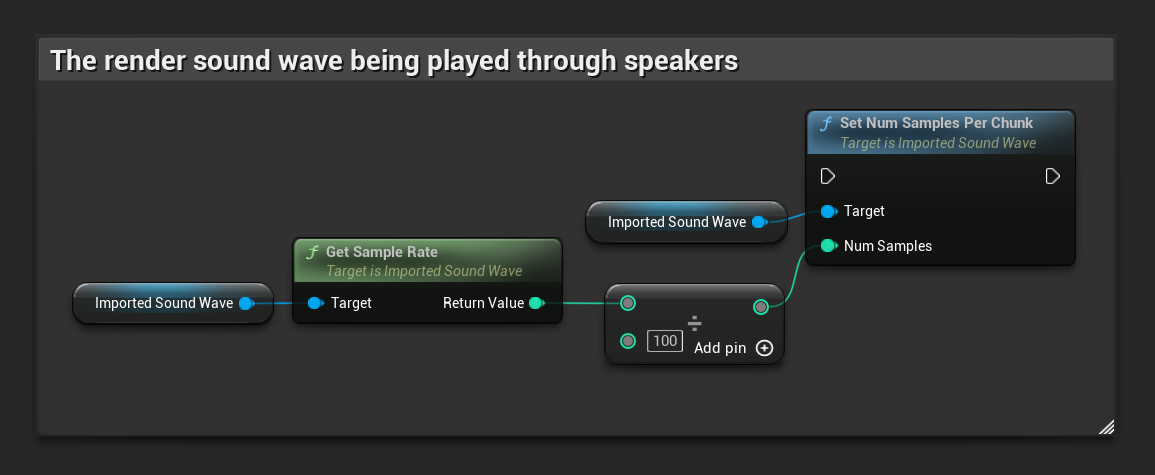
// Assuming ImportedSoundWave is a UE reference to a UImportedSoundWave object (the render sound wave being played through speakers)
ImportedSoundWave->SetNumSamplesPerChunk(ImportedSoundWave->GetSampleRate() / 100);
綁定渲染音波
啟用 AEC 並配置區塊大小後,綁定將用於識別並從擷取訊號中移除回聲的渲染音波。這通常是透過揚聲器播放、麥克風可能拾取到的音波:
- 藍圖
- C++
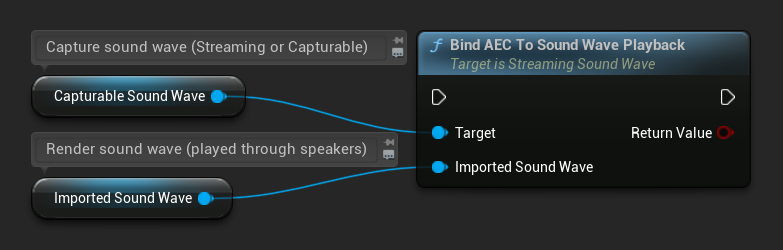
// Assuming StreamingSoundWave is the capture sound wave (microphone input) with AEC enabled
// (can also be a UCapturableSoundWave, which is the most common use case)
// Assuming ImportedSoundWave is the render sound wave being played through speakers
StreamingSoundWave->BindAECToSoundWavePlayback(ImportedSoundWave);
若要解除綁定渲染音波:
- 藍圖
- C++
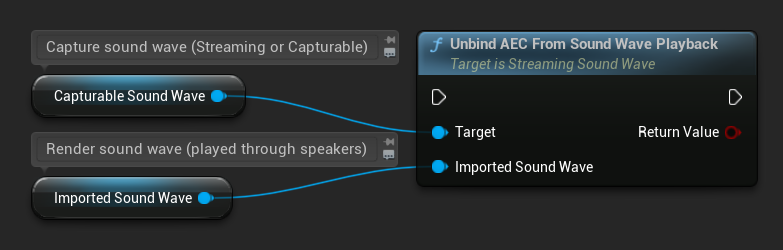
// Assuming StreamingSoundWave is the capture sound wave (microphone input) with AEC enabled
// (can also be a UCapturableSoundWave, which is the most common use case)
// Assuming ImportedSoundWave is the render sound wave being played through speakers
StreamingSoundWave->UnbindAECFromSoundWavePlayback(ImportedSoundWave);
其他配置
串流延遲
您可以設定渲染與擷取音訊路徑之間的預估串流延遲(以毫秒為單位)。這會考量硬體與系統延遲,不過在許多情況下,WebRTC AEC3 可以自動估算此數值:
- 藍圖
- C++
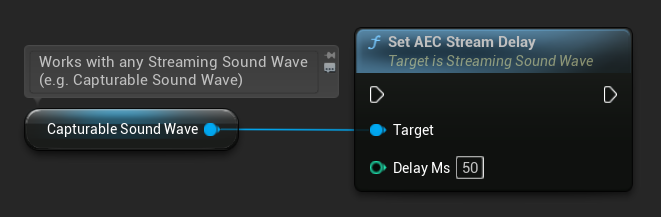
// Assuming StreamingSoundWave is a UE reference to a UStreamingSoundWave object (or its derived type, such as UCapturableSoundWave)
StreamingSoundWave->SetAECStreamDelay(50);
重置 AEC
您可以隨時重置內部 AEC 處理器狀態,清除所有累積的回聲模型:
- 藍圖
- C++
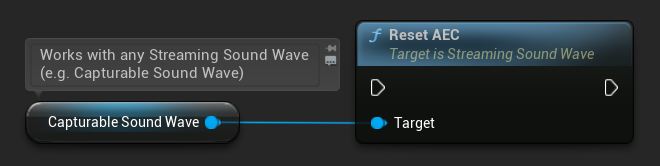
StreamingSoundWave->ResetAEC();
WebRTC AEC3 支援 8000、16000、32000 和 48000 Hz 的取樣率。不匹配的音訊會自動重新取樣,但這會帶來效能開銷。為獲得最佳品質和效能,請使用 48000 Hz,並確保與擷取和渲染串流的實際音訊配置相符。