MetaSounds 整合
需求與限制
版本需求
此整合僅適用於 UE >= 5.3。
有一個支援 MetaSounds 的獨立版本 Runtime Audio Importer: MetaSound Runtime Audio Importer
外掛衝突
如果您已安裝一般的 Runtime Audio Importer 外掛,請在安裝 MetaSound 版本前將其移除。
當前限制
由於 MetaSounds 中尚未解決的縮放問題,目前僅支援 Imported 音波,不支援其衍生音波(例如 Streaming 和 Capturable 音波)。
UE 5.6 已知問題
Unreal Engine 5.6 有一個與斷言相關的錯誤,可能導致在編輯器或開發版本中於執行階段將音訊匯入 MetaSound 時發生崩潰。
解決方法:
- Shipping 建置:使用 Shipping 組態設定打包您的專案 - 不會發生崩潰
- 自訂引擎建置:如果您使用自訂的 UE 5.6 引擎建置,請套用此 提交 中的修復
- 升級至 UE 5.7:此問題已在 Unreal Engine 5.7 及更高版本中解決
如果您使用 UE 5.6 進行編輯器或開發測試,請考慮上述解決方法或升級至 UE 5.7。
設定流程
1. 啟用 MetaSound 外掛
首先,您需要為您的專案啟用 MetaSound 外掛。
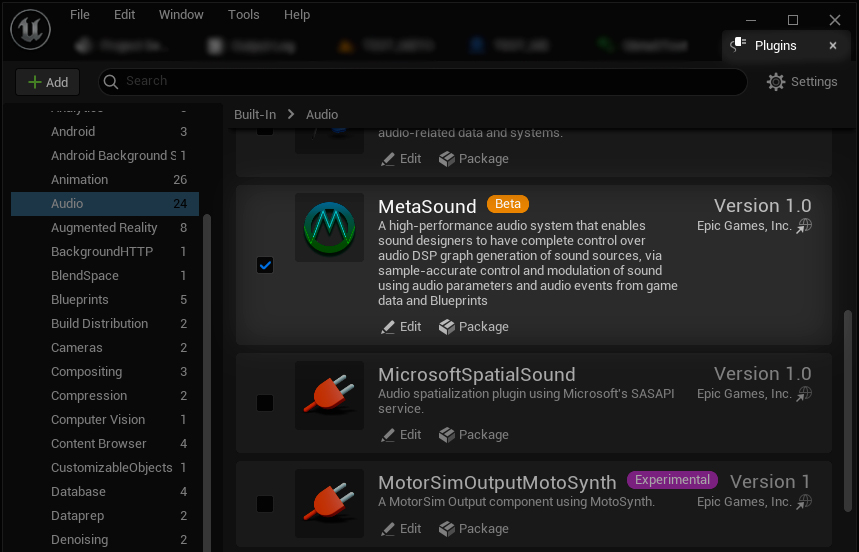
2. 設定 MetaSound 圖表
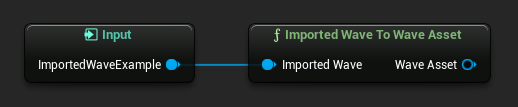
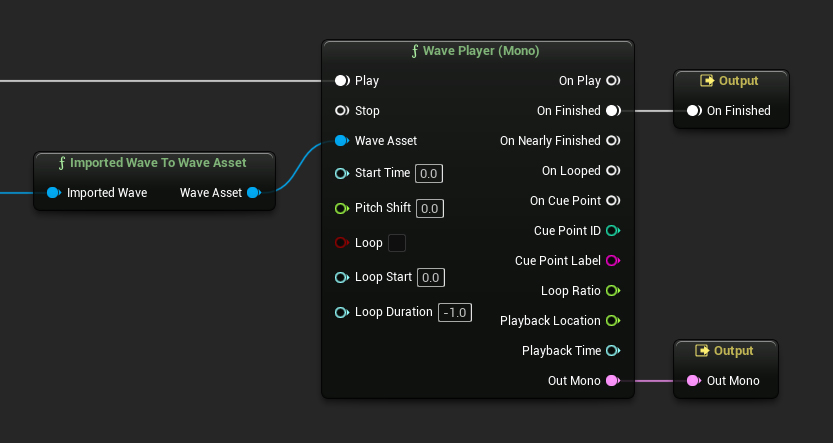
在 MetaSounds 編輯器中,建立一個新的 Imported Wave 輸入,該輸入應使用 ImportedWaveToWaveAsset 節點轉換為 Wave Asset 類型。
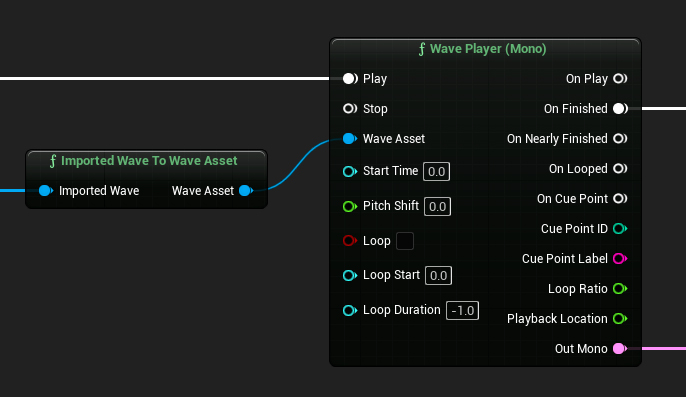
轉換後,您可以使用所有與 Wave Asset 類型相同的功能,例如使用 Wave Player 節點播放它。
實作工作流程
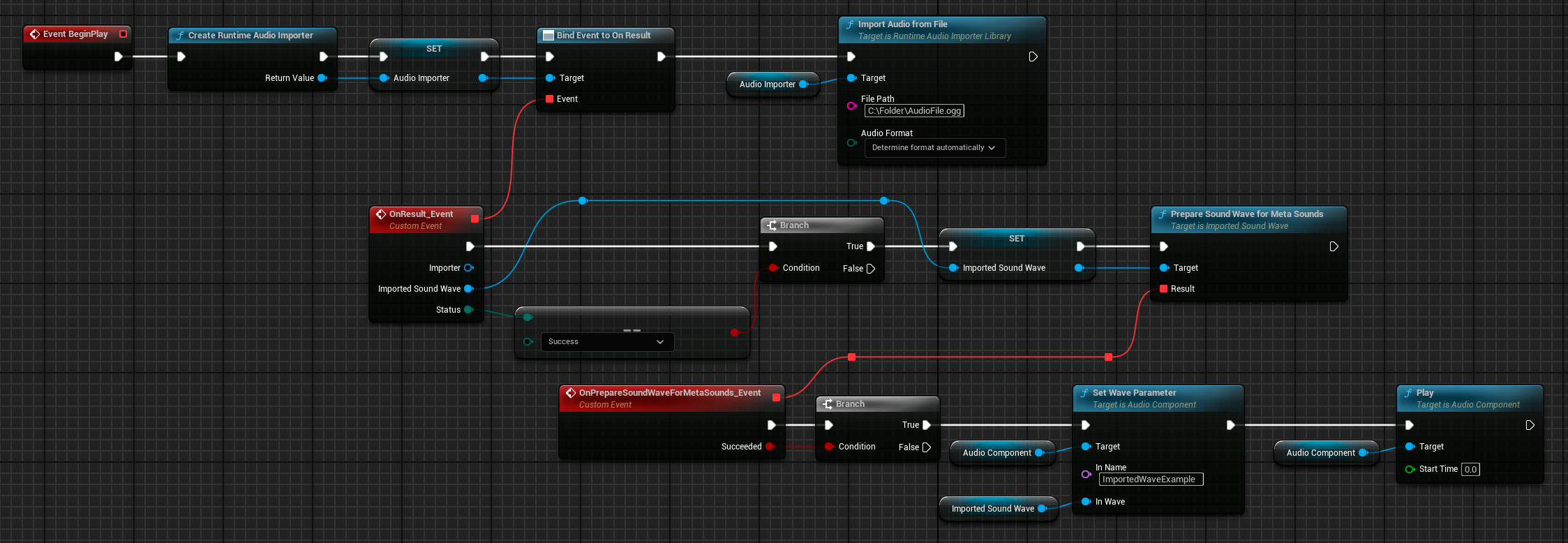
1. 匯入並準備音訊
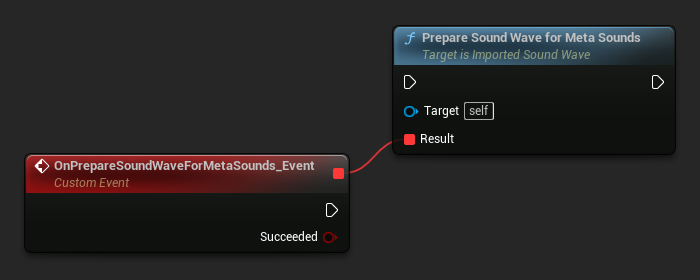
匯入音訊資料的工作流程與標準的 Runtime Audio Importer 流程相同。但是,在您的音波準備就緒後,您還必須呼叫適當的函數來準備音波以供 MetaSounds 使用。
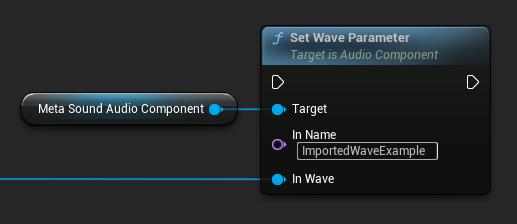
2. 設定 Wave 參數
然後,您可以為 MetaSound 的音訊元件設定 wave 參數,並根據需要播放它。
完整範例
以下是一個完整的實作範例:
Blueprint 實作
MetaSound 圖表
最佳實踐
在使用 MetaSounds 和 Runtime Audio Importer 時:
- 始終使用
PrepareSoundWaveForMetaSound函數專門為 MetaSound 準備音波 - 使用
ImportedWaveToWaveAsset節點在 MetaSound 圖表中轉換類型 - 請記住,目前僅支援 Imported 音波(不支援 Streaming 或 Capturable)
- 如果在 UE 5.6 中遇到崩潰,請參閱上方已知問題章節以了解解決方法