播放音訊
基本播放
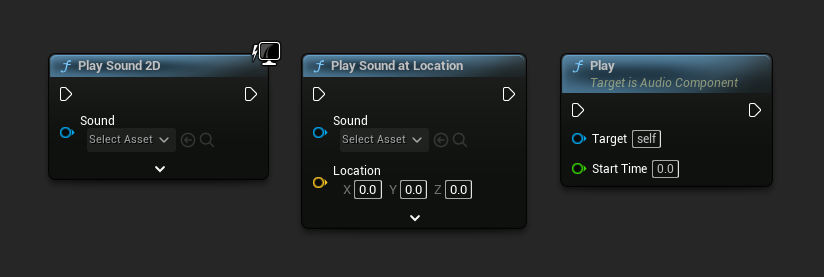
若要播放匯入的音波,請使用與播放一般音波相同的函式。例如,使用 PlaySound2D 或來自音訊元件(例如 Sound Cue)的 Play 函式。
控制播放
倒轉播放時間
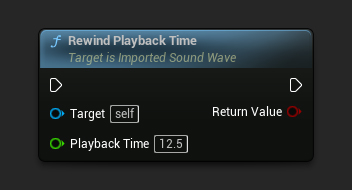
若要倒轉聲波的播放時間,請使用 RewindPlaybackTime 函式。
- 藍圖
- C++
// Assuming ImportedSoundWave is a UE reference to a UImportedSoundWave object
// Rewind playback time of the sound wave for 12.5 seconds
ImportedSoundWave->RewindPlaybackTime(12.5f);
備註
在 UE 4.27 及更早的版本中,如果你想從大於 0 的特定時間點開始播放,你可能需要事先使用 RewindPlaybackTime 函式。否則,由於引擎內部處理程序化波形的問題,聲音可能無法正確播放。此問題自 5.0 版起已在引擎中獲得解決。
取得播放資訊
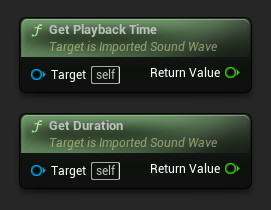
若要取得音波的目前播放時間,請使用 GetPlaybackTime 或 GetPlaybackPercentage 函式。你也可以使用 GetDuration 函式來取得音波的持續時間。
- 藍圖
- C++
// Assuming ImportedSoundWave is a UE reference to a UImportedSoundWave object

// Get the current playback time of the sound wave
float PlaybackTime = ImportedSoundWave->GetPlaybackTime();

// Get the current playback percentage of the sound wave
float PlaybackPercentage = ImportedSoundWave->GetPlaybackPercentage();

// Get the duration of the sound wave
float Duration = ImportedSoundWave->GetDuration();
檢查播放狀態
目前正在播放
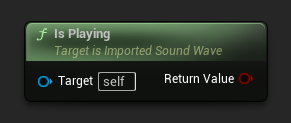
若要判斷音波目前是否正在播放,你可以使用 IsPlaying 函式。
- 藍圖
- C++
// Assuming ImportedSoundWave is a UE reference to a UImportedSoundWave object
// Check if the sound wave is currently playing
bool bIsPlaying = ImportedSoundWave->IsPlaying();
播放是否已完成
若要檢查聲波是否已播放完畢,你可以使用 IsPlaybackFinished 函式。
- 藍圖
- C++
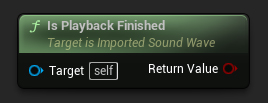
// Assuming ImportedSoundWave is a UE reference to a UImportedSoundWave object
// Check if the sound wave has finished playback
bool bIsFinished = ImportedSoundWave->IsPlaybackFinished();
停止播放
你可以使用 StopPlayback 函式來停止聲波播放。
- 藍圖
- C++
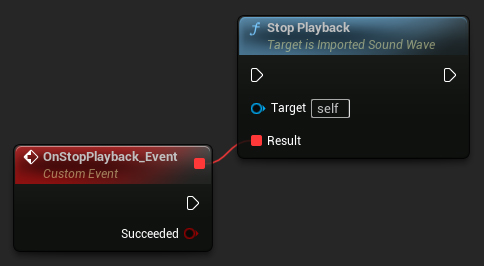
// Assuming ImportedSoundWave is a UE reference to a UImportedSoundWave object
// Stop the playback of the sound wave
ImportedSoundWave->StopPlayback();
資訊
一般建議使用外部方式(例如在音訊元件上呼叫 Stop)來停止聲波播放,並在無法使用外部方式時使用此函式。另外請注意,此函式不適用於從 MetaSounds 進行的播放。
事件處理
追蹤播放完成
若要追蹤音訊播放的結束,請綁定至 OnAudioPlaybackFinished 委派。
- 藍圖
- C++
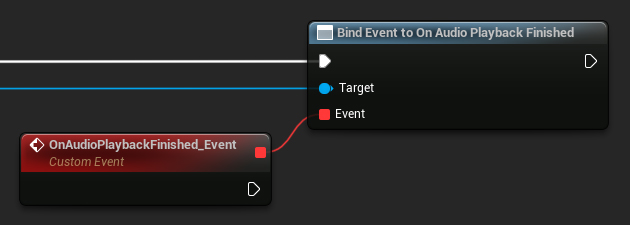
UCLASS()
class AMyAudioPlayer : public AActor
{
   GENERATED_BODY()

public:
   UFUNCTION()
   void OnAudioFinished()
   {
       // Handle the end of audio playback
   }

   void BindAudioDelegate(UImportedSoundWave* ImportedSoundWave)
   {
       // Bind to the OnAudioPlaybackFinished delegate
       ImportedSoundWave->OnAudioPlaybackFinished.AddDynamic(this, &AMyAudioPlayer::OnAudioFinished);
   }
};
記憶體管理
釋放記憶體
你可以使用 ReleaseMemory 函式手動清除音訊資料。
- 藍圖
- C++
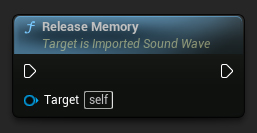
// Release memory of the sound wave
ImportedSoundWave->ReleaseMemory();
注意
除非你有特定的記憶體管理需求,或已停用垃圾回收器,否則不建議手動釋放記憶體。
釋放已播放的音訊資料
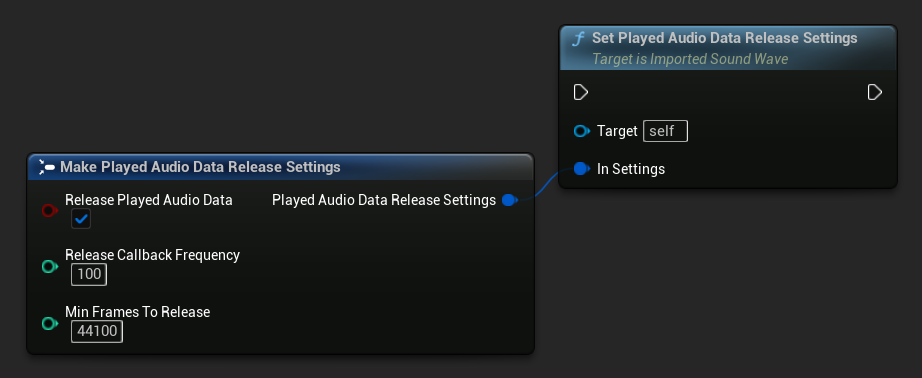
若要在播放期間自動釋放音訊緩衝區中已播放的部分,請使用 SetPlayedAudioDataReleaseSettings 函式來設定釋放設定。
- 藍圖
- C++
FPlayedAudioDataReleaseSettings ReleaseSettings;
ReleaseSettings.bReleasePlayedAudioData = true;
ReleaseSettings.ReleaseCallbackFrequency = 50;
ReleaseSettings.MinFramesToRelease = 44100;

// Configure automatic release of the already-played audio data
ImportedSoundWave->SetPlayedAudioDataReleaseSettings(ReleaseSettings);
bReleasePlayedAudioData- 是否啟用釋放。預設為停用ReleaseCallbackFrequency- 釋放檢查之間音訊產生請求的次數(對OnGeneratePCMAudio的呼叫)MinFramesToRelease- 觸發釋放所需的最小已播放幀數
注意
啟用此選項會限制在已釋放點之前進行倒帶/跳轉,因為該音訊資料已被實際釋放,無法再播放。